
Understanding the Trip.com Refund Policy: How It Works and Timelines
Understanding the Trip.com Refund Policy: How It Works and Timelines in 2026
Navigating the complexities of travel cancellations and refunds can be one of the most stressful aspects of planning a trip. When you book through an Online Travel Agency (OTA) like Trip.com, understanding their specific policies and procedures becomes even more critical. Trip.com, a global travel service provider, offers a wide range of booking options from flights and hotels to trains and tours, making it a popular choice for millions of travelers worldwide. However, the convenience of a one-stop shop can sometimes introduce additional layers of complexity when plans go awry and a refund is needed.
So, how do Trip.com refunds actually work, and what can you realistically expect regarding processing times? The short answer is: it depends significantly on the type of booking, the specific supplier's (airline, hotel, tour operator) policies, and the reason for cancellation. While Trip.com acts as an intermediary, it largely adheres to the terms and conditions set by its partners, often adding its own service fees or processing steps. This article will demystify the Trip.com refund policy and process, providing a comprehensive, in-depth guide to help you understand eligibility, initiate requests, track progress, and navigate potential challenges in 2026. By the end, you'll have a clear roadmap for securing your refund and managing your expectations.
We'll delve into the nuances of flight, hotel, and package refunds, explore the factors that influence processing speeds, and equip you with actionable strategies to advocate for your money. Whether you're dealing with an unexpected itinerary change, a personal emergency, or a supplier-initiated cancellation, knowing your rights and the procedural steps is paramount. Prepare to gain an expert understanding of Trip.com's refund mechanisms, ensuring you're well-prepared for any eventuality on your travel journey.
What is Trip.com and How Does Its Refund Mechanism Work?
Trip.com is a prominent global online travel agency that facilitates bookings for flights, hotels, trains, car rentals, tours, and various other travel services. Operating as an intermediary, Trip.com connects travelers with a vast network of service providers, offering competitive pricing and a user-friendly platform. When you make a booking through Trip.com, you are essentially purchasing a service from an underlying supplier - be it an airline like Emirates, a hotel chain like Marriott, or a local tour operator - with Trip.com managing the transaction and providing customer support. This intermediary role is fundamental to understanding its refund mechanism.
The refund mechanism on Trip.com primarily functions by aligning with the cancellation and Trip.com refund policy of its third-party suppliers. When a refund request is initiated, Trip.com acts as the facilitator, communicating your request to the relevant airline, hotel, or other service provider. The eligibility for a refund, the amount to be refunded, and the speed of processing are largely dictated by the supplier's terms and conditions, which are typically outlined during the booking process. Trip.com will then process the refund back to your original payment method once it receives confirmation and funds from the supplier, minus any applicable Trip.com service fees or supplier penalties.
For instance, if you book a flight through Trip.com, the refund policy will be the airline's policy. If the airline offers a full refund for cancellations made within 24 hours of booking, Trip.com will honor that. However, if the airline charges a cancellation fee, Trip.com will apply that fee. This means that while you interact directly with Trip.com's interface, the ultimate decision on refund eligibility and the timeline for the funds to be released often rests with the original service provider. Trip.com's role is to streamline this communication and ensure the process is followed according to the agreed-upon terms, providing a centralized point of contact for the traveler.
A real-world example demonstrates this: Sarah booked a non-refundable hotel room through Trip.com. Due to an unforeseen emergency, she tried to cancel. Trip.com submitted her request to the hotel. The hotel, adhering to its strict non-refundable policy, denied the refund. In this scenario, Trip.com's mechanism accurately reflected the hotel's policy. Conversely, if Sarah had booked a flexible rate, the hotel would have approved the refund, and Trip.com would then initiate the payout to her. This highlights the critical importance of reviewing the specific terms of each booking component before finalizing your purchase, as Trip.com's system is designed to enforce these predetermined conditions.
Compared to booking directly with a supplier, using Trip.com means you have a single point of contact for multiple bookings, which can be convenient. However, it also means that Trip.com's customer service team must liaise with the supplier on your behalf, potentially adding a step to the communication chain. This can sometimes extend resolution times, especially for complex cases or during peak travel periods. The actionable insight here is to always be aware of the underlying supplier's policies, as these are the primary drivers behind any refund outcome when booking via an OTA like Trip.com.
Understanding Trip.com's General Refund Policy: Key Principles
Trip.com's general Trip.com refund policy is built upon a foundation of transparency and adherence to the terms and conditions of its vast network of travel partners. While the specifics can vary wildly based on the booking type (flights, hotels, packages, trains, etc.) and the individual supplier's rules, several key principles consistently govern how Trip.com approaches refunds. Understanding these overarching guidelines is crucial for any traveler seeking a reimbursement for a cancelled trip or service.
Firstly, refund eligibility is primarily determined by the cancellation policy of the specific product or service purchased. This means that if you booked a non-refundable flight ticket, hotel room, or tour, Trip.com is generally bound by that non-refundable status. Conversely, if your booking explicitly states "free cancellation" or "refundable," then you are typically eligible for a refund, often within a specified timeframe. Trip.com's platform clearly displays these terms during the booking process, making it the traveler's responsibility to review them carefully before confirming a purchase. Ignoring these terms can lead to disappointment if a refund is later sought for a non-refundable item.
Secondly, supplier-initiated cancellations often carry different refund implications than traveler-initiated ones. If an airline cancels a flight, a hotel closes unexpectedly, or a tour operator cancels an activity, you are typically entitled to a full refund, regardless of the original booking's refundable status. In these cases, Trip.com will facilitate the full reimbursement from the supplier. However, if you, the traveler, initiate the cancellation, then the refund amount will strictly follow the terms of your booking, which may include cancellation fees, partial refunds, or no refund at all, depending on the fare class or rate type.
A pertinent example involves a traveler named David who booked a non-refundable flight from London to New York through Trip.com. Two weeks before his departure, the airline announced a schedule change of over five hours, which constitutes a significant change under many airline policies. Despite his ticket being non-refundable, because the airline initiated a substantial change, David was eligible for a full refund, which Trip.com processed on his behalf. This scenario illustrates how supplier-driven changes can override initial non-refundable terms, offering a critical layer of protection for travelers.
Thirdly, service fees imposed by Trip.com may be non-refundable. While the core booking amount (flight, hotel, etc.) is subject to the supplier's policy, any booking or processing fees charged directly by Trip.com at the time of purchase might not be returned, even if the main booking is fully refunded. This is a common practice among OTAs to cover their operational costs. Always check the breakdown of charges during checkout to understand which components are refundable. Finally, refunds are almost always processed back to the original payment method used for the booking, ensuring financial security and preventing fraud. Cash refunds or transfers to different accounts are generally not permitted.
How to Initiate a Refund Request on Trip.com? (Step-by-Step Guide)
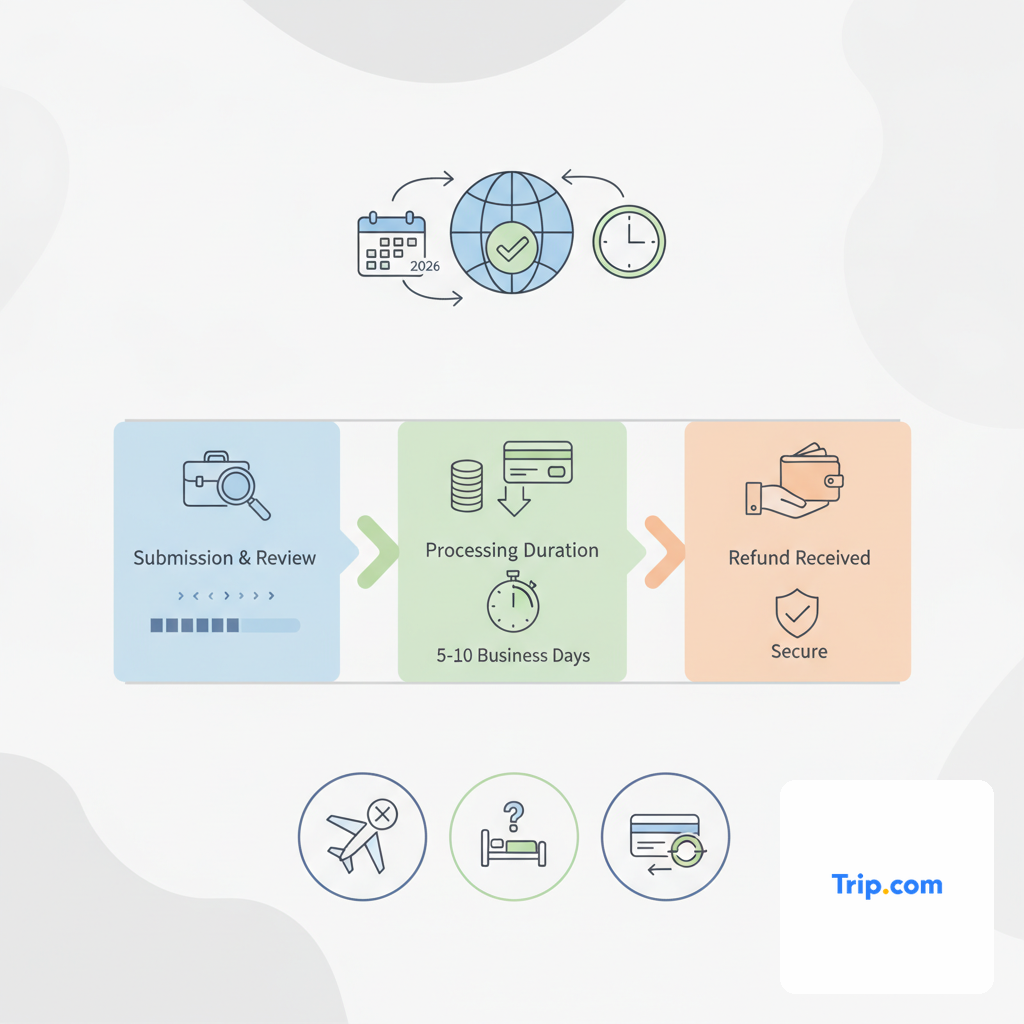
Initiating a refund request on Trip.com is a straightforward process, largely facilitated through their online platform, though specific steps might vary slightly depending on whether you're using the website or the mobile app. The key is to act promptly and follow the outlined procedure to ensure your request is logged correctly and processed efficiently. This step-by-step guide will walk you through the typical process for submitting a refund request for most Trip.com bookings.
Step 1: Access Your Booking Details. The first action is to log into your Trip.com account. Navigate to the 'My Bookings' or 'My Trips' section. Locate the specific booking you wish to cancel and request a refund for. Each booking will have a unique booking ID or reference number, which will be essential for identification. If you booked as a guest without an account, you'll typically need to use the booking reference and the email address used for the reservation to retrieve your details.
Step 2: Locate the Cancellation/Refund Option. Once you've found your booking, look for an option that says 'Cancel Booking,' 'Request Refund,' 'Modify Booking,' or similar. This option is usually prominently displayed within the booking details page. Clicking this button will typically initiate the process of checking your eligibility for a refund based on the booking's terms and conditions. For some bookings, especially flights, you might first see an option to 'Manage Booking' which then leads to cancellation options.
Step 3: Review Refund Eligibility and Potential Fees. After selecting the cancellation option, Trip.com's system will usually display a summary of the refund amount you can expect, if any, along with any applicable cancellation fees (from the supplier or Trip.com) or non-refundable portions. This is a critical step where you confirm your understanding of the financial implications. For example, a flight booking might show a breakdown of the ticket price, taxes, and a potential refund amount after deducting airline penalties. If you agree with the terms presented, proceed to the next step.
Step 4: Confirm Your Cancellation and Submit Request. If the displayed refund terms are acceptable, you will be prompted to confirm your decision to cancel. Once confirmed, your refund request will be formally submitted to Trip.com. At this point, Trip.com will then communicate your request to the underlying service provider (airline, hotel, etc.) for their approval and processing. You should receive an email confirmation from Trip.com indicating that your cancellation request has been received and is being processed. This email often includes a new reference number for your cancellation request.
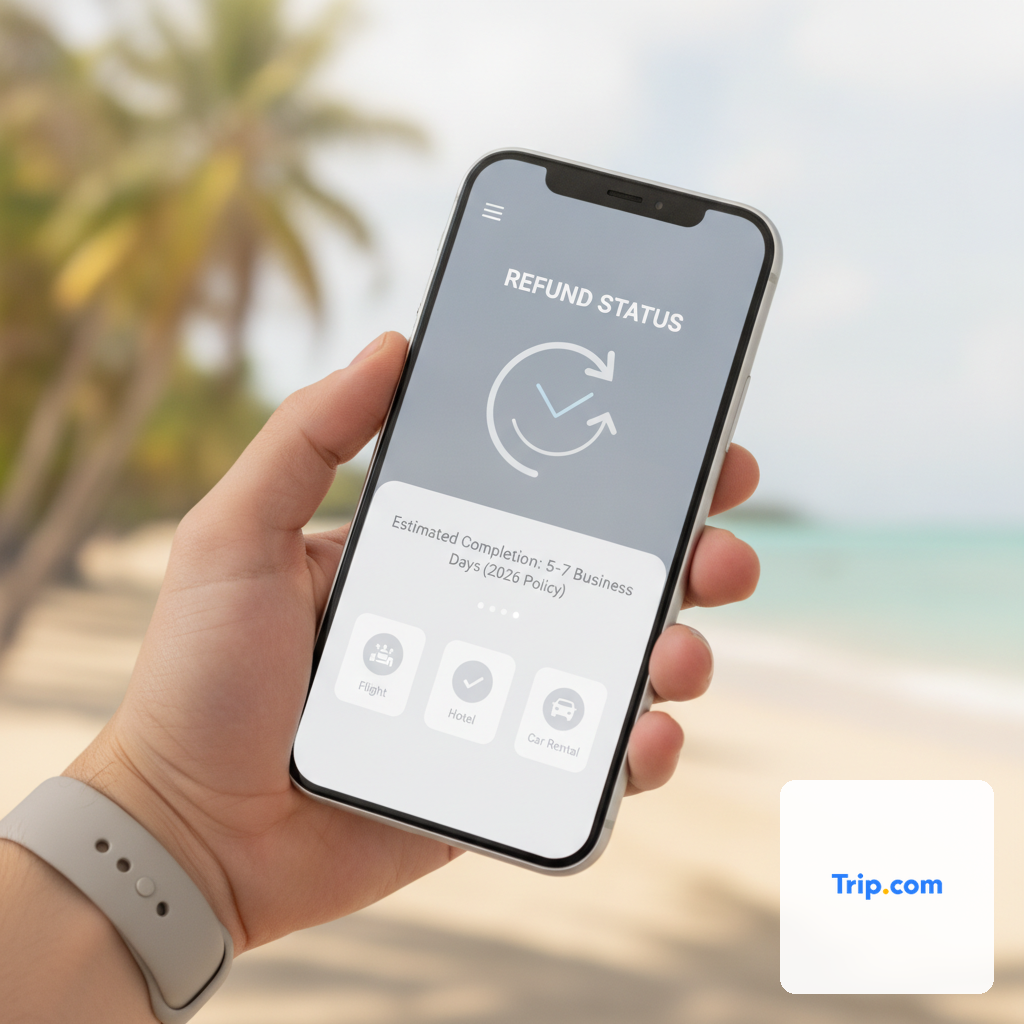
Step 5: Monitor Your Refund Status. After submission, you can typically track the status of your refund request directly within the 'My Bookings' section of your Trip.com account or via the mobile app. Trip.com will update the status as they receive information from the supplier. This might show stages like 'Pending Supplier Confirmation,' 'Refund Approved,' or 'Refund Processed.' It's important to keep an eye on these updates and be prepared for potential follow-up if additional information is required. For urgent or complex cases, Trip.com's customer service can be contacted via live chat or phone for direct assistance, though the initial online submission is always the recommended first step for documentation and efficiency.
Trip.com Flight Refunds: Policies, Eligibility, and Timelines
Flight refunds through Trip.com are intricately tied to the specific fare rules of the airline you've booked with, making it essential to understand these policies from the outset. Trip.com, as an OTA, facilitates the booking and the refund request, but the ultimate decision on eligibility and the amount refunded comes directly from the airline. This relationship means that while Trip.com's platform streamlines the process, the underlying terms are not always within their direct control.
Eligibility for a flight refund typically falls into a few key categories:
- Refundable vs. Non-Refundable Fares: The most straightforward distinction. If you purchased a refundable fare, you are generally entitled to a refund, though a cancellation fee may apply depending on the airline and fare class. Non-refundable fares, as the name suggests, typically do not offer a refund for traveler-initiated cancellations, although taxes might be recoverable.
- Airline-Initiated Changes/Cancellations: If the airline cancels your flight or makes a significant schedule change (e.g., a departure time shift of several hours), you are usually entitled to a full refund, even if you booked a non-refundable ticket. This is a crucial consumer protection right. Trip.com will work to secure this full refund from the airline.
- Force Majeure Events: In cases of unforeseen circumstances like natural disasters, pandemics, or government travel restrictions, airlines may offer waivers allowing for full refunds or free changes, overriding standard policies. Trip.com will communicate these waivers as they become available.
- 24-Hour Rule: Many airlines (especially for flights to/from the US) offer a 24-hour grace period for cancellations without penalty, even on non-refundable tickets. This rule applies from the moment of booking. Always check if this applies to your specific booking and act quickly if you need to cancel within this window.
Once a refund request for a flight is submitted via Trip.com, the process involves several stages, each with its own timeline. Initially, Trip.com sends your request to the airline. The airline then reviews the request based on its fare rules and determines the refund amount. This approval process can take anywhere from 1 to 7 business days, but during peak seasons or for complex cases, it might extend to several weeks. A traveler, Maria, booked a flight to Europe. She had to cancel due to an unexpected family emergency. Her ticket was non-refundable, but she had purchased travel insurance. Trip.com assisted her in cancelling the flight, but the refund itself had to be claimed through her insurance provider, as per the ticket's original terms. This highlights the importance of understanding the limitations of non-refundable tickets and considering travel insurance for such eventualities.
Once the airline approves the refund, they will release the funds to Trip.com. This transfer of funds can take an additional 7 to 14 business days. Finally, once Trip.com receives the funds, they will process the refund back to your original payment method. This final step usually takes 3 to 5 business days for the funds to appear in your bank or credit card account. In total, a flight refund from Trip.com, from initiation to funds appearing in your account, can realistically take anywhere from 2 to 8 weeks, sometimes longer for international or complex itineraries. It's crucial to manage expectations and understand that while Trip.com facilitates, the airline's processing speed is a significant variable in the overall timeline.
Trip.com Hotel Refunds: Cancellation Policies and Processing Speed
Hotel refunds through Trip.com are generally more straightforward than flight refunds, primarily because hotel cancellation policies are often less complex and more transparent than airline fare rules. However, just like flights, the eligibility and amount of your refund will be directly dictated by the specific cancellation policy of the hotel you booked and the rate type you selected. Trip.com acts as the platform for managing this process, facilitating communication between you and the hotel.
Key aspects of Trip.com's hotel refund policies include:
- Flexible vs. Non-Refundable Rates: Most hotels offer different rate types. A "flexible" or "free cancellation" rate allows you to cancel without penalty up to a certain point (e.g., 24 or 48 hours before check-in). A "non-refundable" or "advance purchase" rate typically offers a lower price but no refund if you cancel, regardless of the reason. These terms are clearly displayed on Trip.com's booking page.
- Cancellation Deadlines: For flexible rates, there's always a deadline. If you cancel before this deadline, you're usually entitled to a full refund. Cancelling after this deadline, even on a flexible rate, may result in a penalty (e.g., one night's stay) or no refund at all.
- Hotel-Initiated Cancellations: If a hotel cancels your reservation due to overbooking, maintenance issues, or closure, you are entitled to a full refund, and Trip.com will work to ensure this is processed. The hotel may also offer alternative accommodation as compensation.
- No-Show Policy: If you fail to cancel a reservation and do not show up, most hotels will charge you for at least the first night, and potentially the entire stay, especially for non-refundable bookings. This is considered a forfeited booking, and no refund will be issued.
Consider the scenario of John, who booked a hotel in Tokyo for a business trip. He chose a flexible rate with free cancellation up to 48 hours before check-in. Two days before his trip, his meeting was postponed. John logged into his Trip.com account, found his booking, and initiated a cancellation. Because he cancelled within the free cancellation window, Trip.com immediately processed his request to the hotel, which approved a full refund. This example underscores the benefit of paying a slightly higher price for a flexible rate if your travel plans are uncertain.
The processing speed for hotel refunds often depends on how quickly the hotel confirms the cancellation and releases the funds. Once you submit a cancellation request through Trip.com, it typically reaches the hotel within minutes. The hotel's internal process for approving and releasing the refund can take anywhere from 1 to 5 business days. After the hotel confirms the refund to Trip.com, Trip.com will then process the funds back to your original payment method. This final step usually takes an additional 3 to 7 business days for the money to reflect in your account. In total, a hotel refund initiated through Trip.com can typically be completed within 1 to 3 weeks. While generally faster than flight refunds, it's still crucial to factor in the processing times of both the hotel and Trip.com before the funds are fully returned to you.

Refunds for Trip.com Packages, Tours, and Activities: Specific Scenarios
Refunds for bundled services like Trip.com packages, tours, and individual activities introduce an additional layer of complexity due to the involvement of multiple suppliers and varied terms for each component. Unlike standalone flight or hotel bookings, a package refund often requires reconciling the policies of several different providers. Trip.com's role here is to manage the overall package and its components, but the individual refund eligibility for each part remains tied to its specific supplier's terms.
Package Deals (Flight + Hotel): When you book a flight and hotel as a package through Trip.com, the refund policy for each component is usually distinct but bundled under the package's overall terms. If you cancel the entire package, Trip.com will apply the cancellation rules for the flight and the hotel separately. For instance, if the flight portion is non-refundable but the hotel offers free cancellation up to a certain date, you might get a partial refund for the hotel component, while the flight portion is forfeited or subject to airline-specific fees. Package deals often come with their own set of cancellation fees from Trip.com or the package aggregator, which might be in addition to individual supplier penalties. These fees are usually disclosed at the time of booking. It is rare to find fully flexible package deals that allow for easy, penalty-free cancellations of all components after the initial booking window.
Tours and Activities: For tours, excursions, and local activities booked via Trip.com, the refund policies are typically set by the local tour operator. Many activities offer "free cancellation" if done within a specific window, such as 24 or 48 hours before the activity starts. Beyond that window, the booking often becomes non-refundable. Some niche activities, like specific cooking classes or private guided tours, may have stricter policies due to limited capacity or advance preparations. For example, a traveler named Emily booked a cooking class and a city walking tour in Rome. She cancelled the walking tour 3 days in advance, well within the 24-hour free cancellation window, and received a full refund for that. However, she tried to cancel the cooking class 12 hours before, and the tour operator's policy stated a 48-hour cancellation requirement, so she was not eligible for a refund for the cooking class. Trip.com facilitated both requests, applying the respective supplier rules.
Processing Times for Packages and Tours: The timeline for refunds on packages and tours can be more variable. Since multiple suppliers might be involved, Trip.com must coordinate with each one to confirm cancellation and fund release. This multi-party communication can extend the overall processing time. Expect the initial supplier confirmation phase to take 3 to 10 business days per component. The transfer of funds from each supplier to Trip.com, and then from Trip.com to your account, can add another 7 to 20 business days. In total, full refunds for packages or tours could take anywhere from 3 weeks to 2 months, especially if one of the components has a particularly slow refund process or if there are disputes. It is always advisable to review the cancellation policy of each individual component within a package or activity booking before finalizing your purchase, as the combined policies will dictate your refund outcome.
What Factors Influence Trip.com Refund Processing Times?
The duration it takes to receive a refund from Trip.com is not a fixed number; it's a dynamic process influenced by a multitude of factors. Understanding these variables can help set realistic expectations and potentially expedite your refund. While Trip.com aims for efficiency, several external and internal elements can either smooth or significantly delay the flow of funds back to your account.
1. Supplier Response Time: This is arguably the most significant factor. As an OTA, Trip.com is an intermediary. Its ability to process your refund is contingent upon the underlying airline, hotel, or tour operator approving the cancellation and releasing the funds. Some major airlines or hotel chains have automated, fast refund systems, while smaller operators or those in certain regions might have manual processes that take much longer. During peak travel seasons, supplier customer service departments can be overwhelmed, further extending their response and processing times. If a supplier is slow to respond, Trip.com's hands are often tied until they receive the necessary confirmation.
2. Type of Booking and Fare Rules: As discussed, flight refunds are often more complex due to intricate fare rules, potential non-refundable components (like fuel surcharges or specific taxes), and the sheer volume of transactions airlines handle. Hotel refunds, especially for flexible rates, tend to be quicker. Packages involving multiple components can introduce delays because Trip.com might need to coordinate with several different suppliers, each with their own processing speeds. A non-refundable booking that becomes refundable due to a force majeure event might also take longer to process, as it requires manual review and policy override by the supplier.
3. Reason for Cancellation: The cause of cancellation also plays a role. If an airline cancels a flight, the refund process might be faster because it's a clear-cut case of supplier default. If you, the traveler, cancel due to personal reasons, especially if it's a non-refundable booking where you're seeking an exception, the review process might be more extensive and require more internal checks from both the supplier and Trip.com. Cases involving medical emergencies or death certificates, while sympathetic, often require submission and verification of documentation, adding to the timeline.
4. Payment Method and Bank Processing: Once Trip.com initiates the refund to your original payment method, the speed at which the funds appear in your account depends on your bank or credit card provider. Credit card refunds typically take 3-5 business days to reflect after processing, while debit card or bank transfer refunds might be similar. Some payment gateways or international banks can have slightly longer processing periods. For example, a refund issued to an international credit card might take a few extra days compared to a domestic one, due to interbank clearing processes.
5. Documentation and Communication: Any missing documentation or unclear communication can cause significant delays. If Trip.com or the supplier requires additional information (e.g., medical certificates, proof of identity, or a detailed explanation for an exceptional refund request), delays will occur until this information is provided. Proactive and clear communication from the traveler, coupled with prompt responses to any queries, can help keep the process moving. Conversely, a lack of follow-up on the traveler's part can leave a refund request in limbo. For instance, if Trip.com reaches out for an alternate booking ID and receives no response, the refund process will halt indefinitely.
Common Challenges with Trip.com Refunds and How to Overcome Them
While Trip.com strives to provide a smooth booking and refund experience, travelers occasionally encounter challenges that can complicate or delay the process. Being aware of these common hurdles and knowing how to navigate them can significantly improve your chances of a successful and timely refund. Understanding that Trip.com is an intermediary is key to resolving many of these issues.
Challenge 1: Slow Supplier Response. As highlighted, the most frequent bottleneck is the time it takes for the airline, hotel, or tour operator to approve and release funds to Trip.com. This is often beyond Trip.com's immediate control. A common scenario is a traveler waiting for weeks with Trip.com's status showing 'Pending Supplier Confirmation.' To overcome this, politely follow up with Trip.com's customer service after a reasonable waiting period (e.g., 7-10 business days for supplier confirmation). Ask if they can provide the supplier's reference number for your cancellation. With this, you can sometimes directly contact the airline or hotel to inquire about the status of the refund on their end. While the supplier won't refund you directly (as Trip.com is the merchant of record), they can often confirm if they've approved the refund and when they sent the funds to Trip.com, which gives you leverage for follow-up.
Challenge 2: Non-Refundable Booking Status. Many travelers mistakenly assume all cancellations are refundable. Discovering a booking is non-refundable can be frustrating. If you face this, review the original booking terms carefully. If there's no flexibility, explore alternatives: check if the airline offers travel credits, or if you have travel insurance that covers your reason for cancellation. For example, if your non-refundable flight was cancelled by the airline due to operational reasons, you are entitled to a full refund, regardless of the original fare rules. This is a crucial distinction to remember.
Challenge 3: Communication Gaps or Misunderstandings. Sometimes, there can be miscommunication between the traveler, Trip.com, and the supplier, especially for complex itineraries or during times of high demand. Ensure all your requests are made in writing (via Trip.com's messaging system or email if possible) to create a clear paper trail. When speaking with customer service, note down the agent's name, date, and time of the call, along with a summary of the discussion. If you're not getting a clear answer, politely ask to speak with a supervisor. For example, a traveler might receive conflicting information about a partial refund amount. Having documented proof of the terms or previous conversations can help clarify the situation.
Challenge 4: Disputed Refund Amounts or Fees. Occasionally, the refund amount offered by Trip.com might be less than expected, perhaps due to unexpected cancellation fees or non-refundable service charges. Carefully review the refund breakdown provided by Trip.com. If you believe there's an error, clearly state your case, referencing the original booking terms, any waivers, or relevant consumer protection laws. If Trip.com is charging a service fee, ensure it was clearly disclosed at the time of booking. For example, if an airline waives its cancellation fee but Trip.com still deducts a fee, you have grounds to question it if the fee wasn't explicitly stated as non-refundable in all scenarios.
Challenge 5: Technical Glitches or Account Issues. Rarely, technical problems on Trip.com's platform or issues with your account (e.g., payment method expired) can impede the refund process. If your refund status seems stuck or you're unable to initiate a request online, immediately contact Trip.com customer support via live chat or phone. They can often manually check the system or guide you through troubleshooting steps. For payment method issues, ensure your original card is still active or contact your bank/credit card company to discuss how they handle refunds to closed or expired accounts, as the funds are still legally owed to you.
Comparing Trip.com's Refund Process: OTA vs. Direct Booking
Deciding whether to book through an Online Travel Agency (OTA) like Trip.com or directly with the airline, hotel, or tour operator is a perennial dilemma for travelers. While OTAs often offer convenience and competitive pricing, their intermediary role significantly impacts the refund process. Understanding these differences is crucial for making informed booking decisions, especially if flexibility or the potential for cancellation is a concern.
Direct Booking Refund Process: Simplicity and Control
When you book directly with a supplier (e.g., directly on United Airlines' website or Marriott's website), the refund process is typically more streamlined. There's only one party to deal with: the supplier itself. If you need to cancel, you go directly to their website or customer service. The supplier's policies are directly applied, and there are no additional layers of communication or potential service fees from a third party. If a refund is approved, the supplier processes it directly back to your payment method. This direct line of communication often means faster resolution times, clearer understanding of policies, and more direct control over your booking. For example, if you cancel a refundable flight directly with the airline, they will typically process the refund themselves, and the funds will appear in your account within 5-10 business days after their internal approval.
OTA (Trip.com) Refund Process: Intermediary Role and Potential Delays
Booking through Trip.com introduces an additional party into the transaction. While Trip.com provides a centralized platform for managing multiple bookings, it also means that in a refund scenario, Trip.com must act as the liaison between you and the supplier. This can lead to a multi-stage process:
- You request a refund from Trip.com.
- Trip.com forwards the request to the supplier.
- The supplier reviews and approves the refund, then releases funds to Trip.com.
- Trip.com receives funds and processes them back to your original payment method.
Each of these steps can add days or even weeks to the overall timeline. Trip.com also has its own service fees, which may or may not be refundable, potentially reducing your total reimbursement. For instance, if a flight is cancelled by the airline, and you booked through Trip.com, the airline sends the refund to Trip.com, not directly to you. Trip.com then processes it to you. This additional transfer step inevitably adds time. A traveler, Robert, cancelled a hotel booking through Trip.com. The hotel approved the refund quickly, but it took an additional week for Trip.com to receive the funds from the hotel and then another 3 business days to send them to Robert's bank, significantly longer than if he had booked directly.
Comparison Table: Refund Process - OTA vs. Direct Booking
| Feature | Trip.com (OTA) | Direct Booking (Supplier) |
|---|---|---|
| Point of Contact | Trip.com Customer Service | Airline/Hotel/Operator Customer Service |
| Refund Eligibility | Based on supplier policy + Trip.com's own terms | Based on supplier's direct policy |
| Processing Time | Typically longer (2-8 weeks for flights, 1-3 weeks for hotels) due to intermediary steps | Generally faster (1-3 weeks for flights, 3-10 days for hotels) |
| Fees | Supplier cancellation fees + potential Trip.com service fees | Only supplier cancellation fees |
| Control & Clarity | Less direct control, potential for communication delays | More direct control, clearer communication |
| Best For | Price comparison, complex multi-component itineraries where convenience of single booking is key | Maximum flexibility, direct support, loyalty programs, simple bookings |
| Where to Buy | View Deal |
The actionable takeaway here is to weigh the benefits of an OTA (like price, comparison tools, or package deals) against the potential complexities of the refund process. For straightforward bookings where a refund might be needed, direct booking often offers a smoother, faster experience. For complex itineraries where you value the aggregation service, be prepared for a potentially longer refund journey with Trip.com.
Proactive Strategies to Minimize Refund Risk When Booking with Trip.com
Minimizing refund risk when booking with an OTA like Trip.com involves a combination of careful planning, thorough research, and proactive measures. While unforeseen circumstances can always arise, implementing these strategies can significantly improve your chances of a successful and timely refund, or even help you avoid the need for one altogether.
1. Read the Fine Print Religiously: Before clicking 'Book Now,' meticulously review the cancellation and refund policies for each component of your booking (flight, hotel, tour). Trip.com clearly displays these terms, but they are often dense. Pay close attention to: 'refundable' vs. 'non-refundable' status, specific cancellation deadlines (e.g., 24 hours vs. 48 hours), any associated cancellation fees from the supplier or Trip.com, and the conditions under which a full refund is guaranteed (e.g., airline-initiated changes). For example, ensure you understand that a 'non-refundable' flight means exactly that, and only under very specific circumstances (like a major schedule change or force majeure) might you get your money back.
2. Opt for Flexible Rates When Plans Are Uncertain: If there's any doubt about your travel dates or ability to go, choose flexible or free cancellation rates, even if they cost slightly more upfront. The added peace of mind and financial security often outweigh the minor price difference. For hotels, this means selecting the 'free cancellation' option. For flights, it means choosing a 'refundable' fare class. While these options are more expensive, they act as a form of self-insurance against personal cancellations. A traveler, Sophia, initially booked a cheap, non-refundable flight for a conference. When the conference was unexpectedly moved online, she lost the full ticket price. Had she opted for a flexible fare, even at a higher cost, she would have recovered her money.
3. Purchase Comprehensive Travel Insurance: For significant trips or complex itineraries, travel insurance is a non-negotiable safeguard. A robust policy can cover non-refundable expenses in cases of medical emergencies, trip interruptions, baggage loss, and even 'cancel for any reason' (CFAR) options, which offer the ultimate flexibility for a higher premium. Ensure your policy covers the specific reasons you might need to cancel. Remember, Trip.com's refund policies are often limited to the supplier's terms; insurance bridges the gap for personal, unforeseen events. Always read the insurance policy document thoroughly to understand its coverage limits and exclusions.
4. Document Everything: Maintain a meticulous record of all booking confirmations, cancellation policies, communication with Trip.com customer service (chat logs, email exchanges, call notes with date, time, and agent name), and any documentation supporting your refund request (e.g., medical certificates, airline cancellation notices). This paper trail is invaluable if a dispute arises or if you need to escalate your case. For instance, if Trip.com claims a refund was processed but you haven't received it, having the exact date and amount of their processing confirmation can help your bank trace the funds.
5. Act Promptly and Follow Procedures: If you need to cancel, do so as soon as possible. Many policies have strict deadlines, and missing them can mean forfeiting your refund. Use Trip.com's online cancellation portal first, as it creates an immediate digital record. If the online tool doesn't work or you have a complex case, contact customer service immediately. Prompt action, especially within any 'free cancellation' windows, is crucial. For example, some hotels offer free cancellation up to 24 hours before check-in. Initiating the cancellation 25 hours prior versus 23 hours can be the difference between a full refund and a one-night penalty.
6. Understand Supplier-Initiated vs. Traveler-Initiated Cancellations: Always remember that if the airline, hotel, or tour operator cancels or significantly changes your booking, you are typically entitled to a full refund, regardless of your original fare type. If this happens, ensure Trip.com processes a full refund for you, challenging any attempts to issue only a partial refund or credit if a full refund is your right. This distinction is a powerful consumer protection that many travelers overlook. By implementing these proactive steps, you can navigate your travel plans with Trip.com with greater confidence and significantly reduce your exposure to refund-related financial risks.
How Long Does Trip.com Take to Refund My Money?
The question of "how long" is arguably the most common and often the most frustrating aspect of any refund process, and Trip.com is no exception. While there's no single universal answer, we can provide realistic timelines based on typical operations and various booking types. It's crucial to understand that Trip.com's role as an intermediary means the refund journey involves several stages, each contributing to the overall duration.
Generally, from the moment you initiate a refund request on Trip.com to the funds appearing back in your original payment method, the process can range from 1 week to 2 months, sometimes longer for particularly complex or disputed cases. This broad range is due to the factors previously discussed, primarily the underlying supplier's processing speed and the type of booking.
Here's a breakdown of typical timelines by booking type:
- Hotel Bookings: These are often the quickest. Once you initiate a cancellation for a refundable hotel booking via Trip.com, the hotel typically confirms the cancellation within 1-5 business days. After confirmation, the hotel releases funds to Trip.com, which can take an additional 3-7 business days. Finally, Trip.com processes the refund to your bank, taking another 3-5 business days. Total estimated time: 1 to 3 weeks.
- Flight Bookings: Flights tend to have the longest refund cycles. After your request is submitted, the airline needs to review and approve the refund based on its fare rules, which can take 1-7 business days, but often extends to 2-4 weeks during busy periods or for complex international itineraries. Once approved, the airline transfers the funds to Trip.com, which can take another 7-14 business days. Trip.com then processes the refund to your payment method, adding 3-5 business days. Total estimated time: 2 weeks to 8 weeks (or more).
- Package Deals, Tours & Activities: These can be highly variable due to multiple suppliers. Each component (flight, hotel, tour) has its own refund process. The combined approval and fund transfer from multiple parties to Trip.com can take 1-3 weeks. Trip.com then consolidates and processes the refund to you, which is another 3-7 business days. Total estimated time: 3 weeks to 2 months.
It's important to differentiate between 'refund approved' and 'refund processed.' When Trip.com's status shows 'Refund Approved,' it means the supplier has agreed to the refund, and Trip.com is awaiting the funds. Only when the status changes to 'Refund Processed' or 'Refund Complete' by Trip.com does it mean they have sent the money back to your bank. The final step of funds appearing in your account is then up to your bank or credit card company. Always check your bank statements regularly after Trip.com confirms processing.
For example, if a traveler, Michael, cancelled his flight in early January 2026, and the airline took three weeks to approve the refund, then another two weeks to transfer funds to Trip.com, and Trip.com took five business days to process it, Michael might not see the money in his account until mid-to-late February. This illustrates that patience and consistent monitoring are key. If the refund exceeds the maximum estimated time for your booking type, that's when you should escalate your concerns with Trip.com's customer service.
Understanding Your Trip.com Refund Status: What Each Stage Means
Once you've initiated a refund request through Trip.com, the platform provides a status update within your 'My Bookings' section. Understanding what each status means is crucial for managing your expectations and knowing when to follow up. The refund process isn't instantaneous, and these stages reflect the journey of your request from submission to completion.
1. Refund Request Submitted/Pending: This is the initial status immediately after you've cancelled your booking and confirmed the refund request. It means Trip.com has received your request and is now in the process of forwarding it to the relevant supplier (airline, hotel, tour operator). At this stage, Trip.com has not yet contacted the supplier, or is awaiting their initial acknowledgement. Your request is in the queue for processing by Trip.com's internal team before it reaches the external party. No funds have been released or approved yet.
2. Pending Supplier Confirmation/Review: This is often the longest stage, especially for flight refunds. It means Trip.com has officially sent your cancellation and refund request to the airline, hotel, or tour operator. The supplier is now reviewing the request against their own terms and conditions, fare rules, and internal policies. They are determining your eligibility for a refund and the exact amount, if any. During this period, Trip.com is waiting for the supplier's response. The duration of this stage is entirely dependent on the supplier's internal processes and their current workload. For example, if you've cancelled a hotel with a 48-hour free cancellation policy, this stage might be very brief, sometimes just hours. For a complex flight cancellation, it could last for weeks.
3. Refund Approved (by Supplier): This is a significant milestone. It indicates that the underlying supplier has reviewed your request and formally approved the refund. They have also communicated the approved refund amount to Trip.com. However, 'Refund Approved' does not mean the money has been sent to you yet. It simply means the supplier has committed to sending the funds to Trip.com. The next step is the actual transfer of money from the supplier to Trip.com, which can take its own time due to interbank transfer processes, especially for international transactions. A traveler, Clara, saw her flight refund status change to 'Approved by Airline' after three weeks. She then had to wait another two weeks for the funds to reach Trip.com before they could process it to her.
4. Funds Received by Trip.com / Pending Trip.com Processing: This status means Trip.com has received the refund amount from the supplier. The money is now with Trip.com, and it's undergoing their internal processing before being disbursed to your original payment method. This stage typically involves internal reconciliation and preparing the transaction for payout. This part of the process is usually relatively quick, often taking 1-3 business days.
5. Refund Processed/Complete: This is the final stage from Trip.com's perspective. It means Trip.com has successfully initiated the transfer of funds back to your original payment method (e.g., credit card, debit card, bank account). At this point, the money has left Trip.com's system. The remaining time is entirely dependent on your bank or credit card issuer's processing times, which typically range from 3-7 business days for the funds to actually appear in your account statement. If you see this status and haven't received the money within a week, contact your bank first, then Trip.com with the transaction details they provide.
How Does Trip.com Handle Refunds for Disruptions and Force Majeure?
Travel disruptions and force majeure events, such as natural disasters, pandemics, or government-mandated travel restrictions, represent exceptional circumstances that often override standard cancellation policies. Trip.com's approach to refunds in these scenarios is guided by both consumer protection laws and the specific waivers or policies issued by its suppliers during such crises. Understanding this distinction is vital for travelers facing unexpected, large-scale travel interruptions.
In situations where a flight is cancelled by the airline due to operational issues (mechanical problems, staffing shortages) or significant schedule changes, Trip.com will facilitate a full refund for the flight portion, regardless of whether the original ticket was non-refundable. This is a fundamental consumer right: if the service provider cannot deliver the service as promised, you are entitled to a full reimbursement. Trip.com's system is designed to process these supplier-initiated cancellations with priority, as the eligibility for a full refund is generally clear-cut. For example, if a storm causes an airline to cancel all flights from a particular airport, and your Trip.com booking is affected, you should expect a full refund for that flight.
For force majeure events, the situation becomes more nuanced. During widespread crises like the COVID-19 pandemic, governments and travel providers often issue special policies or waivers. Airlines might offer full refunds, free date changes, or travel vouchers. Hotels might relax their cancellation deadlines. In these cases, Trip.com will adhere to these special waivers. If an airline, for instance, announces a blanket policy for full refunds for all flights cancelled due to a specific event, Trip.com will process your refund according to that policy, even if your ticket was originally non-refundable. It's crucial for travelers to stay informed about official announcements from airlines, hotels, and government travel advisories during such times, as these directly influence Trip.com's ability to secure a refund for you.
A specific scenario: In 2026, a major earthquake hit a popular tourist destination, leading to widespread flight cancellations and hotel closures. A traveler, David, had booked a non-refundable package (flight + hotel) to this destination through Trip.com. Under normal circumstances, he would have lost his money. However, because the airline and hotels issued special waivers due to the force majeure event, Trip.com was able to process a full refund for both the flight and hotel components of his package. This highlights the power of official waivers in overriding strict booking terms. Trip.com's customer support often plays a critical role here, as they are equipped to interpret and apply these rapidly changing policies on behalf of their customers.
However, it's important to note that if a force majeure event occurs, but the supplier does NOT issue a specific waiver or a government does NOT impose travel restrictions that prevent the service, then standard cancellation policies may still apply. For instance, if you decide to cancel a trip due to general fear of an outbreak, but the airline is still operating and no official restrictions are in place, your non-refundable ticket might still be just that. Trip.com's refund processing for these events might also take longer due to the sheer volume of requests and the need for manual review against evolving policies. Patience and clear communication with Trip.com's support team, referencing any official waivers or government advisories, are paramount during these challenging times.
Understanding Trip.com's Customer Service Role in Refund Disputes
Trip.com's customer service plays a pivotal role in the refund process, particularly when disputes arise or when the standard online process proves insufficient. While the online platform is designed for self-service cancellations, complex situations, unclear policies, or delays often necessitate direct human intervention. Understanding how to effectively engage Trip.com's customer service can be the difference between a frustrating stalemate and a successful resolution.
Firstly, Trip.com offers multiple channels for customer support, including a help center with FAQs, live chat, phone support, and email. For refund disputes, the live chat or phone support are often the most effective, as they allow for real-time interaction and clarification. When contacting them, always have your booking ID, the date of your refund request, and any relevant documentation (e.g., screenshots of cancellation policies, airline cancellation notices) readily available. This preparedness helps the agent quickly understand your situation and reduces the back-and-forth.
The customer service team acts as your advocate and liaison with the underlying supplier. If your refund is delayed or disputed, the Trip.com agent will typically contact the airline, hotel, or tour operator on your behalf to inquire about the status or challenge a decision. For instance, if an airline initially denies a refund for a cancelled flight, a Trip.com agent can re-submit the request with additional context or escalate it to a higher-level contact at the airline. This is where the benefit of an OTA's existing relationships with suppliers can become apparent, as they might have channels of communication that individual travelers do not.
A real-world example demonstrates this: A traveler, Ben, had a hotel booking cancelled by the hotel due to overbooking, but the hotel was slow to issue a refund. Trip.com's online status remained 'Pending Supplier Confirmation' for an unusually long time. Ben contacted Trip.com's live chat, explained the situation, and provided the hotel's confirmation of cancellation. The Trip.com agent then directly called the hotel's partner support line, obtained immediate confirmation of the refund release, and expedited the process, changing Ben's status to 'Funds Received by Trip.com' within hours. This shows how proactive engagement with customer service can cut through delays.
However, it's also important to understand the limitations. Trip.com customer service agents cannot unilaterally override a supplier's non-refundable policy without the supplier's consent or a valid waiver. Their role is to ensure that the supplier's policy is correctly applied and to facilitate the process. If a refund is rightfully denied based on the terms you agreed to, the customer service agent's ability to help will be limited. In such cases, they may guide you on alternatives, such as contacting your travel insurance provider or providing documentation for a chargeback request with your bank (though a chargeback should be a last resort after exhausting all other options).
If you feel your dispute is not being adequately addressed, you can request to escalate your case to a supervisor or manager within Trip.com's customer service department. Persistence, politeness, and clear documentation are your strongest tools in resolving refund disputes through Trip.com's customer service channels.
In conclusion, navigating the Trip.com refund policy requires a blend of patience, diligence, and an understanding of the multi-layered process involving both the OTA and its suppliers. While the timelines can vary significantly from a few weeks to several months, especially for flights, being proactive and informed is your best defense. Always prioritize reading the fine print, opting for flexible rates when possible, and securing comprehensive travel insurance for peace of mind. Remember that Trip.com acts as an intermediary, and its refund process is heavily influenced by the policies and processing speeds of the airlines, hotels, and tour operators it partners with. By following the step-by-step guides for initiating requests, monitoring your refund status, and understanding the nuances of different booking types, you can significantly streamline your experience. Should challenges arise, Trip.com's customer service is there to assist, acting as your liaison in resolving disputes and expediting the return of your funds. Armed with this knowledge, you can approach your Trip.com bookings with greater confidence, knowing exactly what to expect from the Trip.com refund policy if your travel plans take an unexpected turn in 2026.
Frequently Asked Questions
Yes, Trip.com is a legitimate online travel agency and does process refunds according to the terms and conditions of your booking and its suppliers. While the process can sometimes be lengthy due to its intermediary role, Trip.com adheres to established industry practices for cancellations and reimbursements. The legitimacy of your refund primarily hinges on the specific fare rules or cancellation policies you agreed to at the time of booking, as well as the policies of the underlying service provider like the airline or hotel. Trip.com facilitates this process, ensuring that approved refunds are eventually returned to your original payment method.
The typical duration for a Trip.com refund varies significantly by booking type and supplier. Hotel refunds are generally the fastest, often taking 1 to 3 weeks from initiation to the funds appearing in your account. Flight refunds, however, can take considerably longer, ranging from 2 weeks to 8 weeks or more, due to the complex approval processes and fund transfers between airlines and Trip.com. Package deals, tours, and activities also have variable timelines, often falling within the 3 weeks to 2 months range, as multiple suppliers may be involved. The final step of funds appearing in your bank account is also dependent on your bank's processing times.
Whether you can receive a full refund from Trip.com depends on several factors. You are generally entitled to a full refund if you booked a flexible or refundable rate and cancel within the specified free cancellation window. Additionally, if the airline, hotel, or tour operator cancels your booking or makes a significant schedule change (e.g., flight cancellation, major time shift), you are typically eligible for a full refund regardless of your original fare type. For non-refundable bookings, a full refund is usually not possible unless specific force majeure waivers are in place. Always review the terms at checkout to understand full refund eligibility.
If Trip.com denies your refund request, it is usually because your booking falls under a non-refundable policy or you missed a critical cancellation deadline. First, carefully review the original booking terms and the reason for denial. If you believe the denial is incorrect (e.g., due to a supplier-initiated cancellation or a valid force majeure waiver), contact Trip.com customer service with all supporting documentation. If Trip.com maintains the denial based on valid terms, explore alternatives such as claiming through your travel insurance if you have a policy that covers your reason for cancellation, or consider a chargeback with your bank as a last resort.
When you book through Trip.com, it is almost always better to initiate the cancellation directly through Trip.com. As the merchant of record, Trip.com is responsible for managing your booking and facilitating any refunds with the supplier. Attempting to cancel directly with the airline or hotel when booked via an OTA can complicate the process, as the supplier may not have the authority to process a refund to you directly and might redirect you back to Trip.com. Always go through the platform you used for booking to ensure proper record-keeping and a smoother refund process, even if it means an extra step in communication.
Trip.com may charge its own service fees for cancellations, in addition to any cancellation penalties imposed by the airline, hotel, or tour operator. These fees are usually disclosed during the booking process and again when you initiate a cancellation request. While the supplier's cancellation fee is determined by their specific policy and fare type, Trip.com's administrative fees are separate. It is crucial to review the full breakdown of charges at checkout to understand which components are potentially non-refundable or subject to Trip.com's own processing fees, even if the underlying booking is eligible for a refund.
You can easily check your Trip.com refund status by logging into your account on the Trip.com website or mobile app. Navigate to the 'My Bookings' or 'My Trips' section and locate the specific booking you cancelled. Within the booking details, there will be a section dedicated to your refund request status. This status will update through various stages, such as 'Refund Request Submitted,' 'Pending Supplier Confirmation,' 'Refund Approved,' and 'Refund Processed.' Regularly monitoring this status will keep you informed of your refund's progress and help you identify if any delays occur, prompting you to contact customer service for further inquiry.