
Finding Trip.com Cheap Flights: Your Expert Guide to Maximizing Savings
How to Find Cheap Flights on Trip.com: An Expert Guide to Maximizing Savings
Finding affordable airfare is often the cornerstone of any budget-friendly travel plan, and platforms like Trip.com have emerged as powerful tools in this quest. In 2026, navigating the complex world of flight booking requires more than just a quick search; it demands a strategic approach to leverage the unique features and deals offered by Online Travel Agencies (OTAs). This comprehensive guide delves deep into how you can consistently find Trip.com cheap flights, transforming what can often be a frustrating experience into a streamlined process of uncovering genuine savings. By understanding Trip.com's powerful search functionalities, promotional offers, and nuanced booking policies, travelers can significantly cut down on their air travel expenses.
This article will equip you with a robust framework for maximizing your flight savings on Trip.com. We will explore everything from utilizing flexible date calendars and setting up price alerts to understanding the intricacies of self-transfer flights and package deals. You'll learn how to identify potential hidden costs, decipher cancellation policies, and effectively compare Trip.com's offerings against booking directly with airlines. Our goal is to provide a detailed, actionable roadmap, complete with real-world examples and crucial comparisons, ensuring you gain a distinct advantage in your pursuit of the most economical airfares. Prepare to unlock a new level of savvy travel planning, making your next journey more affordable and stress-free.
What is Trip.com and How Does it Help You Find Cheap Flights?
Trip.com is a global online travel agency that serves as a comprehensive platform for booking flights, hotels, trains, car rentals, and tours. It acts as an intermediary, aggregating flight inventory from a vast network of airlines - including major carriers, low-cost airlines, and regional operators - to present a wide array of options to travelers. Its primary value proposition lies in its ability to scan numerous routes and providers simultaneously, often surfacing combinations or exclusive deals that might not be immediately apparent when searching on individual airline websites. Trip.com helps you find Trip.com cheap flights by centralizing diverse airfare data, offering competitive pricing, and providing unique booking functionalities designed to identify cost-effective travel solutions.
The platform's strength is its extensive booking coverage. Based on available platform information, Trip.com boasts connections with hundreds of airlines globally, providing access to routes across continents. This broad reach means that for any given destination, a user is likely to see a multitude of flight options, including direct flights, layover routes, and even self-transfer itineraries. This vast inventory allows travelers to compare prices from different airlines side-by-side, quickly identifying the most economical choices for their specific travel dates and preferences. For instance, a search for a flight from London to Bangkok might reveal options from full-service carriers like British Airways or Emirates, alongside budget airlines like AirAsia or Scoot, and even complex multi-airline itineraries.
Moreover, Trip.com frequently offers its own discounts, promotions, and member-exclusive prices. These can be in the form of direct fare reductions, promo codes, or loyalty points that translate into future savings. While an airline's direct website might offer a specific fare, Trip.com sometimes secures bulk rates or promotional agreements that allow it to present a slightly lower price, even after factoring in its own service fees. This competitive pricing strategy is a core part of its appeal, especially for budget-conscious travelers actively seeking the lowest possible fare.
However, it is important to understand that while Trip.com offers significant convenience and potential savings, it operates as an intermediary. This means that while you book through Trip.com, your flight contract is ultimately with the airline. This distinction becomes particularly relevant when dealing with changes, cancellations, or disruptions, as Trip.com's support team will often need to liaise with the airline on your behalf, which can add an extra layer of communication. Nonetheless, for initial price discovery and comparison, Trip.com remains a powerful and efficient tool for uncovering competitive flight deals globally, making it an essential resource for travelers looking to stretch their budget.
How Can Flexible Dates and Destinations Unlock Major Savings on Trip.com?
Flexibility in your travel dates and even your destination is arguably the most impactful strategy for finding Trip.com cheap flights. The platform's powerful flexible search tools are designed to highlight periods and locations where airfare demand - and consequently, prices - are significantly lower. By being open to adjusting your departure or return dates by a few days, or considering alternative nearby airports or even entirely different destinations, you can unlock substantial savings that rigid travel plans simply cannot match.
Trip.com offers intuitive features to facilitate this flexibility. When searching for flights, instead of selecting exact dates, you can often opt for a "flexible dates" option or view a price calendar. This calendar visually displays the cost of flights across an entire month, or sometimes even several months, allowing you to instantly identify the cheapest days to fly. For example, a flight that costs $500 on a Friday might drop to $300 if you depart on a Tuesday and return on a Thursday. This simple shift can result in hundreds of dollars in savings. The trick is to look for patterns: mid-week travel (Tuesdays, Wednesdays, Thursdays) and off-peak seasons typically offer the best value.
Beyond dates, consider being flexible with your departure and arrival airports. Many major cities are served by multiple airports, and sometimes flying into or out of a smaller, less popular airport can be significantly cheaper. Trip.com's search function often includes a "nearby airports" option, which expands your search radius to include these alternatives. For instance, flying into London Stansted (STN) or Luton (LTN) might be cheaper than Heathrow (LHR) or Gatwick (LGW), even after factoring in the cost and time of ground transportation. This small adjustment can sometimes reveal entirely new, more affordable routes, especially for budget carriers that often operate from secondary airports.
A more advanced form of flexibility involves being open to your destination itself. If you're simply looking for an affordable getaway and don't have a specific place in mind, Trip.com (like other metasearch engines) can sometimes offer 'discover' features, or you can use its flexible date calendar to see where flights are cheapest from your home airport during a particular month. While Trip.com's destination discovery isn't as prominent as some competitors, leveraging its date flexibility across various potential destinations manually can still yield surprising results. Compare this to a rigid business traveler who must fly on specific dates to a specific city, and the difference in potential savings is stark. The actionable insight here is clear: always explore flexible dates first, and if possible, nearby airports, before locking into any specific itinerary. This proactive approach ensures you're seeing the true spectrum of available cheap flights.
Are Price Alerts and Trend Tracking Effective on Trip.com?
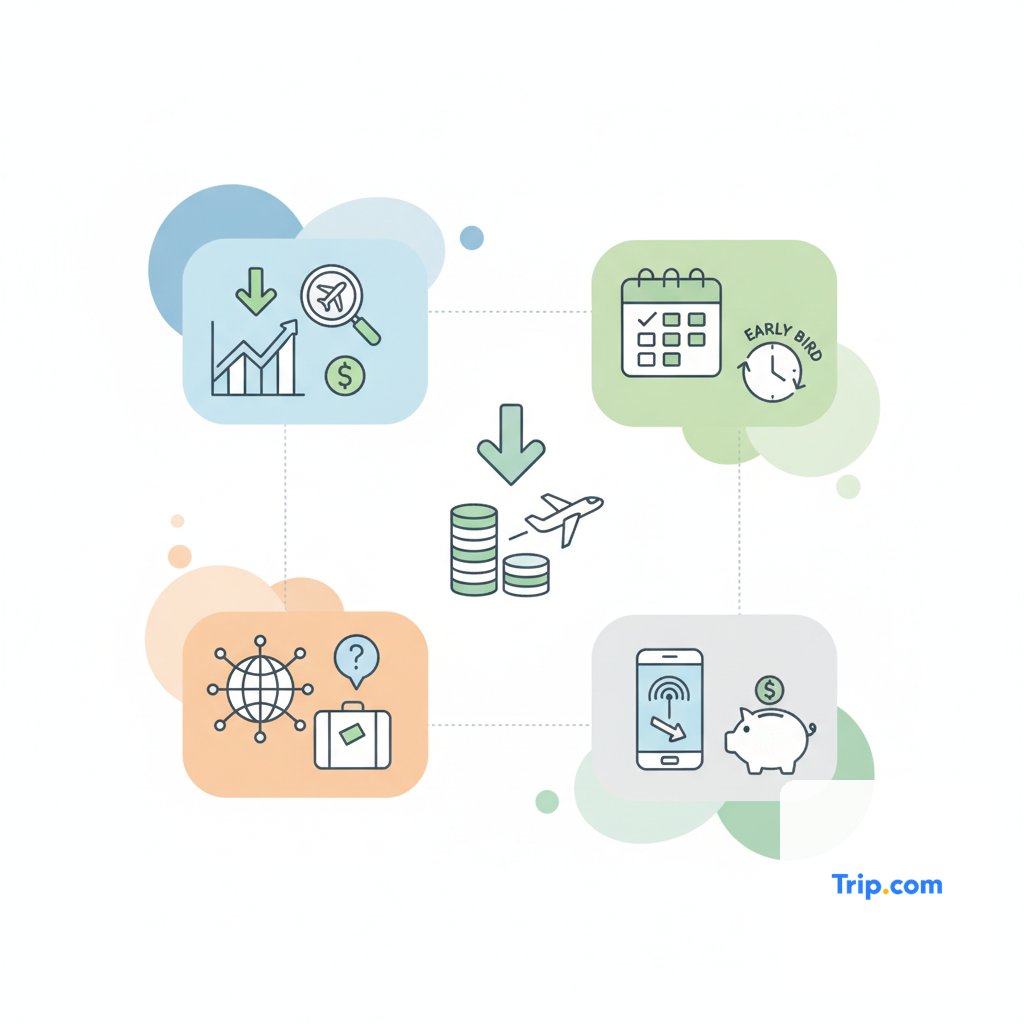
Yes, price alerts and the ability to track fare trends are highly effective tools on Trip.com for securing Trip.com cheap flights, particularly for those whose travel dates are somewhat flexible or who are planning trips well in advance. These features leverage data analytics to notify you when the price of a specific flight route drops, saving you the constant manual effort of checking fares. Trip.com's price alert system is designed to keep you informed, allowing you to pounce on deals the moment they become available, often before they are widely advertised or before prices inevitably climb again.
To utilize this, you typically set up an alert for a desired route and date range. When you perform a flight search on Trip.com, you'll often see an option to "Track Price" or "Set Price Alert." Once activated, Trip.com monitors the fares for your selected itinerary. If the price drops to a certain threshold or significantly decreases, you will receive a notification via email or through the Trip.com app. This is incredibly useful for popular routes or during peak booking seasons where prices can fluctuate dramatically. For example, if you are planning a trip to Tokyo six months out, setting a price alert can notify you when a typically $1000 flight temporarily drops to $750, giving you the opportunity to book at a significant discount.
The effectiveness of price alerts lies in the dynamic nature of airline pricing. Airfares are constantly adjusted based on demand, capacity, competitor pricing, and even time of day. Without an alert system, it's virtually impossible for an individual to track these micro-fluctuations. Trip.com's system acts as your personal airfare watchdog, ensuring you don't miss out on a fleeting deal. This contrasts sharply with simply checking prices once a week, which might miss numerous opportunities. Compared to other platforms, Trip.com's alert system is generally robust, although the frequency and customization of alerts can vary slightly.
An actionable insight is to set up multiple alerts for slightly different dates or nearby airports once you have a target destination. For instance, if your primary goal is Paris in September, set an alert for flights to Paris Charles de Gaulle (CDG) for the first week of September, and another for the second week, and perhaps even one for Paris Orly (ORY). This multi-pronged approach increases your chances of catching the lowest fare. Be aware that while alerts are effective, they are not a guarantee of the absolute lowest price, as ultra-last-minute flash sales might occur too quickly for some systems to perfectly capture. However, for proactive planning, they are an indispensable tool for budget-conscious travelers aiming to secure the best possible deal without obsessive daily checking.
How Do Trip.com's Bundles and Packages Compare for Flight Savings?
Trip.com offers flight + hotel packages and dynamic bundles that can be a highly effective way to find cheap flights, often yielding greater savings than booking each component separately. These packages consolidate multiple travel services into a single booking, leveraging bulk purchasing and promotional agreements with airlines and hotels to offer a lower combined price. For many travelers, particularly those planning a vacation rather than a simple point-to-point flight, these bundles represent a significant opportunity for cost reduction and increased convenience.
The core principle behind package savings is that travel providers often offer deeper discounts when you combine services. Airlines, for instance, might offer reduced fares when bundled with a hotel stay, as it helps fill both their planes and their partner hotels. Trip.com facilitates this by allowing you to search for "Flight + Hotel" options, presenting curated packages or enabling you to dynamically build your own by selecting from a range of flights and accommodations. A real-world example might involve a week-long trip to Rome: booking a flight and a hotel separately could cost $1500, but a Trip.com package combining a specific flight and a highly-rated hotel might come in at $1200, representing a 20% saving.
While these packages often present a compelling value, it's crucial to compare the total package price against the cost of booking the flight and hotel individually. Sometimes, the savings are marginal, or the included hotel might not be your first choice. However, in many cases, especially for popular tourist destinations and during off-peak seasons, the savings can be substantial. For example, a traveler might find that a package to Phuket, Thailand, including round-trip flights and seven nights at a resort, is priced only slightly higher than the flights alone, effectively making the hotel portion heavily discounted or even 'free'. This direct comparison is essential because, based on available platform information, while Trip.com's packages are generally competitive, specific deals vary widely.
Compared to other OTAs like Expedia or Booking.com, Trip.com's package offerings are generally robust, with a good selection of both flights and hotels. The key actionable insight for maximizing savings here is to actively explore the package options even if your primary search is for flights. Don't assume booking separately is always cheaper. If you know you'll need accommodation, dedicating time to compare package deals could unveil significant savings, especially for longer trips or those to destinations with high hotel costs. Be mindful of the flexibility of these packages, however; changes or cancellations often apply to the entire bundle, and individual components cannot always be altered independently, potentially incurring stricter penalties than individual bookings. Always check the specific terms and conditions of any package before committing.
What Role Do Stopovers and Self-Transfer Flights Play in Trip.com's Cheap Deals?
Stopovers and self-transfer (or virtual interlining) flights are often key components in finding the absolute cheapest airfares on Trip.com, particularly for long-haul international routes. While they demand more effort and carry a higher risk profile, these itineraries can significantly reduce the overall cost of a ticket by combining flights from different airlines, often budget carriers, or by utilizing less conventional routes. Trip.com, as an OTA, is adept at piecing together these complex itineraries that traditional airline websites might not offer.
A self-transfer flight refers to an itinerary where you book two or more separate tickets to reach your final destination, often with different airlines. For example, flying from New York to Paris on one airline, and then from Paris to Rome on a different airline, all booked as separate tickets. Trip.com's algorithms can identify and present these combinations as a single search result, even though they are technically separate bookings. The savings come from combining lower-cost segments. For instance, a direct flight from a smaller city to a far-off international destination might be prohibitively expensive. However, Trip.com might show a cheaper option involving a budget flight to a major European hub, followed by another budget flight to your final destination. This multi-segment approach often leverages the cheapest available fares on each leg, resulting in a substantially lower total price compared to a single-ticket booking on a major carrier.
Stopovers, on the other hand, typically involve a planned, longer layover (24 hours or more) in an intermediate city, often offered by a single airline or alliance. While not strictly a self-transfer, Trip.com can highlight routes with advantageous stopover options. Sometimes, a flight with a long stopover is cheaper than a direct flight, and it offers the added benefit of allowing you to explore an extra city for free. For example, a flight from Sydney to London might be cheaper if it includes a 48-hour stopover in Dubai. While this adds to the travel time, it can be a travel hack for exploring another destination on the same trip. Trip.com's flexibility in presenting these options is a major advantage for adventurous, budget-conscious travelers.
However, it is critical to understand the associated risks. With self-transfer flights, if the first flight is delayed or cancelled, causing you to miss your second, separately-booked flight, the airline for the second flight is under no obligation to rebook you or offer compensation. You would likely need to purchase a new ticket. This is a significant refund risk and transfer risk. You also need to re-check baggage, clear customs/immigration, and potentially change terminals or even airports. These factors add complexity, time, and stress. Trip.com sometimes offers 'Trip.com Care' or similar add-ons for self-transfer flights, which can provide some protection against missed connections, but always read the terms carefully. Compared to direct bookings, these options require a higher degree of personal responsibility and risk tolerance. The actionable insight is: consider self-transfer and stopover options for significant savings, but only if you have ample layover time (at least 3-4 hours for international self-transfers) and understand the associated risks and responsibilities. They are not suitable for all travelers, especially those with tight schedules or a low-risk tolerance.

How Can Trip.com's Payment Options and Promo Codes Reduce Flight Costs?
Leveraging Trip.com's diverse payment options and actively seeking out promo codes are practical strategies that can directly reduce the final cost of your flight. Beyond simply finding a cheap base fare, the way you pay and the discounts you apply can shave off additional dollars, making an already good deal even better. Trip.com often partners with various payment providers and runs its own promotional campaigns, presenting opportunities for immediate savings at the checkout stage.
Trip.com supports a wide array of payment methods, including major credit and debit cards (Visa, Mastercard, American Express), PayPal, and often local payment solutions relevant to your region. While the primary goal is convenience, some payment methods can offer indirect savings. For example, certain credit cards provide travel rewards, cashback, or travel insurance benefits when used for flight bookings. Always check if your credit card offers any such perks. Additionally, be aware of potential foreign transaction fees if you are booking in a currency different from your card's base currency. Trip.com usually displays prices in your local currency, but confirming the final charge on your statement is a good practice. Based on available platform information, Trip.com aims for transparent payment processing, but currency conversion rates can sometimes include a small markup, so paying in the local currency of the booking might occasionally be slightly cheaper if your card has no foreign transaction fees.
Promo codes and vouchers are a more direct route to immediate savings. Trip.com regularly issues promotional codes through various channels: its own website banners, email newsletters, social media campaigns, and sometimes through affiliate partners. These codes can offer a percentage off your total booking, a fixed dollar amount discount, or special rates on specific routes or airlines. For example, a typical promo might be '$20 off international flights over $200' or '10% off flights to Southeast Asia.' Before finalizing any booking, it's always advisable to do a quick search for "Trip.com promo codes 2026" to see if any valid discounts are available. Applying a valid code is usually straightforward, with a dedicated field at the checkout page.
A real-world scenario might involve finding a flight for $350. By applying a $25 promo code found through an email newsletter, the price drops to $325. If you then pay with a credit card that offers 2% cashback on travel, you'd effectively get another $6.50 back, bringing your net cost to $318.50. While seemingly small, these incremental savings add up, especially for multiple bookings or higher-value tickets. Compared to booking directly with an airline, where promo codes might be less frequent or tied only to specific loyalty programs, Trip.com's broader promotional reach can be a distinct advantage. The actionable insight is: always check for valid Trip.com promo codes before completing your purchase, and consider the benefits of your chosen payment method. These steps ensure you're maximizing every possible discount available.
Are Trip.com's "Hidden" Fees and Add-ons Transparent?
One of the most critical aspects of finding truly cheap flights on any online travel agency, including Trip.com, is understanding the final price after all taxes, fees, and optional add-ons. While Trip.com generally strives for price transparency, travelers must remain vigilant, as what appears to be a low base fare can sometimes escalate significantly at the checkout stage. These aren't necessarily 'hidden' fees in a deceptive sense, but rather costs that are itemized later in the booking process or optional services that become necessary for a comfortable journey, and missing them can lead to a 'price risk'.
The advertised price you first see on Trip.com's search results typically includes the base fare and mandatory government taxes and fees. This is standard across most flight booking platforms. However, the costs that can surprise travelers often include baggage fees, seat selection fees, and payment processing fees. For low-cost carriers in particular, checked baggage is almost always an extra charge, and even many full-service airlines now charge for selecting a specific seat. These are critical add-ons that can substantially increase the 'final total vs advertised price'. For example, a $150 flight might become a $250 flight once a checked bag ($50) and a preferred seat ($20) are added. Trip.com will display these options and their associated costs during the booking flow, typically before the final payment page, but it's the traveler's responsibility to select and account for them.
Payment experience also plays a role in transparency. While most standard credit card payments are straightforward, certain payment methods might incur a small service fee, or currency conversion rates applied by your bank or Trip.com might differ slightly. Based on official policies, Trip.com endeavors to show these clearly, but travelers should always review the final breakdown on the payment page. It's also worth noting that some Trip.com 'protection plans' or travel insurance options are offered as add-ons, which, while beneficial for some, contribute to the total cost and should be carefully considered rather than blindly accepted.
Compared to booking directly with an airline, where baggage and seat fees are often presented with the fare type upfront, Trip.com (like many OTAs) might present the lowest possible bare-bones fare first, requiring the user to consciously add extras. This is not necessarily a lack of transparency, but a difference in presentation that budget travelers must be aware of. The actionable insight here is: always proceed to the final payment summary page before confirming your booking to review the full, itemized breakdown of costs. Account for any necessary baggage, seat selection, or payment fees, and weigh the benefits of any optional add-ons against their cost. This diligence ensures that the 'cheap flight' you found remains truly cheap after all components are factored in, mitigating 'price risk'.
What Are Trip.com's Policies for Flight Changes, Cancellations, and Refunds?
Understanding Trip.com's policies for flight changes, cancellations, and refunds is paramount, as these terms can significantly impact your travel budget and flexibility, especially when unforeseen circumstances arise. While Trip.com facilitates the booking, the ultimate rules governing these actions largely depend on the specific airline's fare rules and the type of ticket you purchased. Trip.com acts as the intermediary, helping you navigate these policies, but their ability to process changes or refunds is bound by the airline's stipulations and their own service agreements.
When you book a flight on Trip.com, each fare class comes with its own set of rules regarding flexibility. These are typically displayed during the booking process and are crucial to review. For instance, a 'Basic Economy' or 'Non-refundable' fare, often the cheapest option, will have very strict limitations: changes might be impossible or incur high fees, and cancellations might yield no refund or only a partial credit with significant penalties. Conversely, a 'Flexible' or 'Refundable' fare, while more expensive upfront, offers greater leeway for changes or full refunds, often within a specified window (e.g., free cancellation within 24 hours, or changes permitted up to departure with a fee). Based on official policies and third-party review patterns, Trip.com generally provides clear indications of these fare rules at checkout, but travelers must actively read them.
If you need to change or cancel a flight, you typically initiate the request through your Trip.com account. Trip.com's customer support then liaises with the airline on your behalf. The refund process and speed are highly dependent on the airline's policy and their processing times. For a refundable ticket, once the airline approves the refund, Trip.com will process it back to your original payment method. This can take several business days to several weeks, which represents a 'refund risk'. For non-refundable tickets, you might only be eligible for a partial refund of taxes, or a flight credit, often minus any change or cancellation fees imposed by the airline and potentially a service fee from Trip.com itself.
A real-world scenario involves a traveler who booked a cheap, non-refundable flight for $200. Due to an unexpected event, they need to cancel. Upon checking Trip.com's policy, they find the airline's rule states no refund for cancellations, but taxes might be recoverable. After initiating the cancellation, they might receive only $30-$50 back in taxes, with the bulk of the fare forfeited. In contrast, a traveler who paid $300 for a flexible fare might receive a full refund, or the option to change dates for a nominal fee. The actionable insight is: always review the specific fare rules and cancellation policy thoroughly before booking, especially if your travel plans are uncertain. If flexibility is a priority, consider paying a slightly higher fare for more lenient terms or purchasing comprehensive travel insurance. Do not assume 'cheap' automatically means 'flexible', as this is a common 'policy risk'.

How Does Trip.com's Customer Support Handle Flight Issues?
Trip.com's customer support plays a critical role when flight issues arise, acting as your primary point of contact for changes, cancellations, or disruptions. While the platform strives to offer comprehensive support, the effectiveness and speed of assistance can vary based on the nature of the issue, its urgency, and the cooperation of the underlying airline. Trip.com typically offers multiple support channels, including a help center, live chat, and phone support, aiming to provide timely assistance to travelers facing problems before, during, or after their trip.
For routine inquiries or simple changes (e.g., date adjustments, seat requests), Trip.com's online help center and self-service options within your account can often provide quick solutions. Their live chat feature is generally responsive for less urgent matters, allowing you to communicate with a representative in real-time. However, for urgent travel disruptions - such as a missed connection on a self-transfer itinerary, a sudden airline cancellation, or an emergency rebooking - phone support is usually the most effective channel. Based on available platform information and third-party review patterns, human support access is generally available, but response times can fluctuate, particularly during peak travel periods or major global events, posing a 'support risk'.
When an airline cancels or significantly delays a flight, Trip.com's role is to facilitate communication and rebooking options based on the airline's policies. They will typically inform you of the disruption and present available alternatives from the airline, or assist in processing a refund if that is the eligible option. For example, if an airline cancels your flight, Trip.com will work to get you rebooked on the next available flight with the same airline, or, if the airline permits, on a partner carrier. In scenarios involving self-transfer flights, where separate tickets are involved, Trip.com's support for missed connections can be more complex, often requiring the traveler to have purchased additional 'Trip.com Care' protection for comprehensive assistance.
A comparison point is booking directly with an airline versus booking through an OTA like Trip.com. When you book directly, you deal solely with the airline's customer service, which can sometimes lead to quicker resolution for airline-specific issues. When booking through Trip.com, there's an extra layer of communication, as Trip.com needs to relay information and requests to the airline. This added step, while often managed efficiently, can introduce delays, particularly for complex or urgent situations. The actionable insight here is: for urgent flight issues, prioritize direct phone contact with Trip.com's customer service, and ensure you have your booking reference number readily available. For self-transfer bookings, strongly consider Trip.com's protection plans or a robust travel insurance policy, as basic support might not cover the unique risks of separate tickets. Having realistic expectations about response times during major disruptions is also crucial, mitigating 'disruption risk'.
Is Booking Directly with an Airline or Via Trip.com Better for Cheap Flights?
Deciding whether to book directly with an airline or through an Online Travel Agency (OTA) like Trip.com for cheap flights is a perennial question with no single definitive answer. Both approaches have distinct advantages and disadvantages, and the 'better' option often depends on the specific flight, your travel priorities, and your risk tolerance. Trip.com can often present lower initial prices and more diverse options, but direct booking typically offers greater control and simpler support in case of issues.
Trip.com's primary advantage in finding cheap flights lies in its ability to aggregate a vast array of flight options from numerous airlines, including budget carriers and complex multi-carrier itineraries, sometimes at prices lower than those found on airline websites. This is due to its bulk purchasing power, exclusive promotions, and dynamic packaging capabilities (e.g., flight + hotel bundles). For instance, a flexible traveler looking for the absolute lowest fare from point A to point B might find a multi-stop, self-transfer option on Trip.com that combines two budget airlines for significantly less than a single-carrier ticket found on an airline's direct site. This breadth of inventory and competitive pricing makes Trip.com a powerful tool for price discovery and for budget travelers prioritizing cost above all else.
However, booking directly with an airline offers several benefits that can outweigh marginal price differences for many travelers. Direct bookings often mean simpler change and cancellation processes, as you're dealing with one entity. Airline loyalty programs (miles, status benefits, upgrades) are typically only applicable or accrue fully when booking direct. If a flight is cancelled or significantly delayed, the airline's customer service is often more direct and efficient in rebooking or issuing refunds for their own direct bookings, reducing 'support risk'. Furthermore, any ancillary services like seat selection or baggage are often more clearly presented and sometimes cheaper when purchased directly from the airline, mitigating 'hidden cost risk'.
| Feature | Trip.com (OTA) | Direct Airline Booking |
|---|---|---|
| Initial Price Discovery | Often shows lowest base prices, complex multi-airline routes. | May show slightly higher initial prices, but simpler fare structures. |
| Final Price Transparency | Add-ons (baggage, seats) appear later, requires diligence. | Add-ons often clearer upfront with fare type. |
| Flexibility & Changes | Dependent on airline rules, may involve Trip.com intermediary. | Direct negotiation with airline, simpler process. |
| Refunds & Support | Trip.com acts as intermediary, process can be slower. | Direct contact with airline, often quicker resolution. |
| Loyalty Programs | Typically no mileage accrual or status benefits. | Full mileage accrual, elite status benefits, upgrades. |
| Disruption Handling | Relies on Trip.com's liaison with airline; self-transfer risk. | Airline handles rebooking directly, often more proactive. |
| Best For | Budget travelers, flexible dates/destinations, complex routes, package deals. | Business travelers, loyalty members, risk-averse, simple itineraries. |
| Where to Buy | View Deal |
The actionable insight is to adopt a hybrid approach: use Trip.com for initial price comparison and to discover the cheapest possible routes, especially if you're flexible. However, once you find a suitable flight, compare its final price (after all add-ons) against the airline's direct website before booking. If the price difference is negligible, or if you value loyalty benefits, direct airline support, and simpler policies, booking directly with the airline is often the safer and more convenient choice. For complex self-transfer itineraries, Trip.com might be the only way to find such combinations, but be fully aware of the higher 'travel risk fit' involved and consider additional protection.
What are the Best Times to Book Flights on Trip.com for Maximum Savings?
Timing is a crucial factor in securing cheap flights on Trip.com, as airline pricing is highly dynamic and subject to algorithms that respond to demand, capacity, and booking patterns. While there's no magic bullet for the absolute cheapest fare, understanding general booking windows and seasonal trends can significantly increase your chances of finding substantial savings. Proactive planning and strategic booking based on historical data are key to unlocking the best deals.
For international flights, the consensus among travel experts suggests booking 3 to 6 months in advance of your departure date. This window often captures the 'sweet spot' where airlines have released their initial batch of competitive fares to gauge demand. Booking too early (e.g., 9-12 months out) can sometimes mean paying higher initial prices, as airlines start with higher fares to capture early planners. Booking too late (e.g., less than 3 weeks out) almost always results in higher prices, as demand increases and airlines begin to price out last-minute business travelers. For domestic flights, the window is typically shorter, around 1 to 3 months in advance.
Beyond the booking window, specific days of the week can influence prices. Flights departing on Tuesdays, Wednesdays, and Saturdays are often cheaper than those departing on Fridays or Sundays, which are popular for weekend getaways and business travel. Similarly, flying at undesirable times, such as very early mornings or late nights, can also yield lower fares. Trip.com's flexible date calendar is invaluable here, as it visually highlights these cheaper days of the week, allowing you to instantly identify the most cost-effective travel days.
Seasonality also plays a major role. Avoid booking during peak travel seasons like major holidays (Christmas, New Year, Easter), summer vacation periods (June-August for Northern Hemisphere), and local festivals or events. Travel during the 'shoulder seasons' (e.g., April-May, September-October for many destinations) or 'off-peak seasons' (e.g., January-March, November for many destinations) almost invariably offers cheaper fares and fewer crowds. For example, a flight to Europe in July will likely be significantly more expensive than the same flight in May or October. Trip.com's search results will naturally reflect these seasonal price variations, making it easy to see when a destination is more affordable.
A real-world example: A family planning a trip to Orlando in July (peak season) might find flights for $600 per person. If they shift their dates to late April or early May (shoulder season), the same flights could drop to $350-$400 per person, representing a significant saving. The actionable insight is: start your flight search on Trip.com within the recommended booking window for your trip type, prioritize mid-week travel, and consider traveling during shoulder or off-peak seasons. Utilize Trip.com's flexible date search to visually pinpoint the cheapest days, even if it means slightly adjusting your original plan. This strategic timing is one of the most reliable ways to find genuinely cheap flights on the platform.
How Can You Utilize Trip.com's Filters and Sorting Options for Budget Travel?
Effectively utilizing Trip.com's comprehensive filters and sorting options is a fundamental strategy for budget travelers to quickly narrow down vast search results and pinpoint the cheapest and most suitable flights. These tools allow you to customize your search beyond basic dates and destinations, helping you prioritize cost-saving factors while still meeting essential travel requirements. Without these filters, sifting through hundreds of flight options would be an overwhelming and time-consuming task.
Upon performing a flight search, Trip.com presents a left-hand sidebar or a prominent set of filter options. The most critical filter for budget travel is typically 'Price,' allowing you to sort results from 'Lowest Price First.' This immediately brings the most economical options to the top. However, simply sorting by price isn't always enough, as the cheapest flights often come with compromises. This is where other filters become invaluable. For instance, the 'Number of Stops' filter allows you to choose between direct flights, 1 stop, or 2+ stops. While direct flights are convenient, flights with one or two stops are almost always cheaper, especially for long-haul routes. For budget travelers, selecting '1 stop' can often present a sweet spot between cost savings and reasonable travel time.
Other crucial filters include 'Airlines' and 'Departure/Arrival Times.' If you have a preference for (or aversion to) specific airlines, or if you know certain budget carriers offer better deals on your route, you can select or deselect them. Filtering by 'Departure/Arrival Times' allows you to avoid inconvenient late-night or early-morning flights if desired, or conversely, embrace them for potential savings. For example, some travelers might find a flight departing at 6 AM significantly cheaper than one at 9 AM, and if they're willing to make that compromise, the filter helps them find it quickly. This contrasts with a situation where a traveler just scrolls endlessly, missing the nuanced options available.
A real-world example involves a traveler looking for a flight from New York to Miami. Sorting by 'Lowest Price' might show a flight with a 7-hour layover. By then applying a 'Max 1 Stop' filter and a 'Max Duration' filter (e.g., 8 hours total travel time), they can quickly see the cheapest 1-stop options that still get them to Miami within a reasonable timeframe, often revealing a better 'value for money' option even if it's not the absolute rock-bottom price. The actionable insight is: don't just sort by price; actively use Trip.com's filters to refine your search based on the number of stops, preferred airlines, and acceptable departure/arrival times. This strategic use of filters helps you efficiently discover the cheapest flights that align with your personal comfort and time constraints, minimizing 'suitability risk' and maximizing efficient search experience.
How Does Trip.com's App and Mobile Experience Enhance Flight Search?
Trip.com's mobile app and overall mobile experience significantly enhance the flight search process, offering a streamlined, convenient, and often more personalized way to find cheap flights compared to its desktop counterpart. In 2026, a robust mobile presence is crucial for an OTA, and Trip.com has invested heavily in creating an intuitive and feature-rich app that caters to on-the-go travelers. The app's design and functionalities are geared towards making flight discovery, booking, and management as seamless as possible, from initial search to in-trip itinerary tracking.
One of the key advantages of the Trip.com app is its speed and usability. Mobile search often feels quicker and more responsive, allowing for rapid comparison of flight options. The interface is typically optimized for smaller screens, with clear calls to action and easy navigation through filters and sorting options. This means you can quickly check flight prices during a commute, lunch break, or any moment of downtime, making spontaneous price checks or last-minute bookings more feasible. The app also consolidates all your booking information in one place, providing easy access to e-tickets, vouchers, and itinerary details, which is invaluable during travel.
Beyond basic search, the app often provides enhanced personalization and notifications. Price alerts, which we discussed earlier, are seamlessly integrated into the app, sending push notifications directly to your device the moment a price drops on a tracked route. This immediate notification can be critical for snatching up fleeting deals. Moreover, the app can learn from your search history and preferences, sometimes offering personalized recommendations or deals based on your past activity. For example, if you frequently search for flights to Southeast Asia, the app might proactively highlight flash sales for destinations in that region.
A real-world scenario highlights the app's utility: Imagine you've set a price alert for a flight from Los Angeles to Mexico City. While you're at work, a flash sale occurs, dropping the price by 20%. The Trip.com app sends an immediate push notification. You can then open the app, review the deal, and book it within minutes from your phone, before the limited-time offer expires. This level of immediate response is difficult to achieve solely with email alerts or desktop browsing. Compared to a desktop experience, the mobile app prioritizes instant access and real-time updates, making it a stronger tool for active deal-hunting and in-trip management. The actionable insight is: download and utilize the Trip.com mobile app for flight searches and booking. Enable push notifications for price alerts, and leverage its ease of use for quick checks and on-the-go bookings. This ensures you're always connected to potential savings and your travel itinerary, enhancing overall convenience and managing 'availability risk'.
Conclusion: Navigating Trip.com for Your Cheapest Flights in 2026
Finding Trip.com cheap flights in 2026 is an achievable goal for any traveler willing to adopt a strategic and informed approach. This comprehensive guide has unveiled the multifaceted strategies required to leverage Trip.com's extensive inventory, advanced search tools, and promotional offers. From embracing date and destination flexibility to diligently tracking price alerts and understanding the nuances of self-transfer itineraries, each tactic contributes to a holistic framework for maximizing your savings. The key takeaway is that true savings extend beyond the initial base fare, encompassing a thorough understanding of all potential costs, booking policies, and support mechanisms.
We've explored how Trip.com acts as a powerful aggregator, offering a vast array of flight options that can often undercut direct airline prices, particularly for complex routes or package deals. However, this convenience comes with the responsibility of understanding the trade-offs, especially concerning cancellation policies, potential 'hidden' add-ons like baggage fees, and the critical differences in customer support compared to direct airline bookings. The actionable advice consistently points towards vigilance: always verify final prices, meticulously review fare rules, and strategically utilize Trip.com's filters and mobile app features. For those who prioritize the absolute lowest fare and are comfortable with a higher 'travel risk fit', options like self-transfer flights can be game-changers, provided ample layover time and backup plans are in place.
Ultimately, the decision to book through Trip.com versus directly with an airline should be a calculated one, weighing potential savings against personal preferences for flexibility, loyalty benefits, and direct support. For the budget-conscious, flexible traveler, Trip.com is an indispensable tool for uncovering deals. For those who value simplicity, direct airline loyalty, and robust support, a hybrid approach - using Trip.com for research and then comparing with direct airline prices - offers the best of both worlds. By applying the expert insights and actionable steps outlined in this guide, you are now equipped to navigate Trip.com effectively, confidently securing the cheapest flights for your 2026 adventures, turning potential 'price risk' into tangible savings.
Frequently Asked Questions
Yes, Trip.com is a legitimate and widely recognized online travel agency with a significant global presence. It is safe to book flights through Trip.com, as it uses secure payment gateways and partners with reputable airlines. However, like all OTAs, whether it's the 'safest' choice depends on your specific booking type and risk tolerance. For simple, direct flights, it's generally low risk. For complex self-transfer itineraries, the inherent risks of separate tickets (e.g., missed connections) are higher, making it crucial to understand cancellation policies and consider extra protection plans. Always confirm final terms at checkout for security.
Trip.com can often be cheaper than booking directly with an airline, especially for complex routes, multi-carrier itineraries, or flight + hotel packages. This is due to its aggregation of many airlines, including budget carriers, and its own promotional deals. However, this is not always the case. For direct, simple flights, the price difference might be negligible, or an airline's direct site might offer better benefits (e.g., loyalty points, clearer baggage rules). It is always recommended to compare the final price, including all fees and add-ons, on both Trip.com and the airline's official website before making a booking decision to ensure the best value.
If your Trip.com flight is cancelled or significantly delayed, the outcome depends on the airline's policy and the type of ticket you purchased. Trip.com will act as an intermediary, communicating with the airline on your behalf to explore rebooking options or facilitate a refund, if eligible. For standard bookings, the airline is usually responsible for rebooking. For self-transfer flights, if one segment is delayed and causes you to miss a separately booked connection, the other airline is not obligated to assist, unless you purchased Trip.com's specific protection plan for self-transfers. Contact Trip.com's customer support promptly in such situations.
Trip.com generally strives for price transparency, and mandatory government taxes and fees are typically included in the initial advertised price. However, what might appear as 'hidden' fees are often optional add-ons or services that are itemized later in the booking process. These commonly include checked baggage fees, seat selection fees, and certain payment processing fees, especially for budget airlines. While Trip.com displays these costs clearly before final payment, travelers must be diligent in reviewing the complete itemized breakdown at checkout to ensure the final price aligns with their expectations. Always review the final price summary before confirming your purchase.
Utilizing flexible dates is one of the most effective ways to find cheaper flights on Trip.com. When searching, look for the 'flexible dates' option or view the price calendar, which visually displays flight costs across different days or months. Mid-week travel (Tuesdays, Wednesdays, Thursdays) and flights during off-peak seasons (e.g., January-March, November for many destinations) are typically more affordable. By being open to shifting your departure or return by a few days, you can often save hundreds of dollars. Trip.com's tools are designed to highlight these cheaper periods, so always explore these options before committing to fixed dates.
Self-transfer flights on Trip.com can offer significant cost savings by combining separate tickets from different airlines, but they carry a higher risk profile. If your first flight is delayed or cancelled, causing you to miss your second, separately booked flight, the second airline has no obligation to rebook you or offer compensation. You would also need to re-check baggage and clear customs. These are 'transfer risks'. Book self-transfer flights only if you have ample layover time (at least 3-4 hours for international connections), a high tolerance for potential disruptions, and consider purchasing Trip.com's specific protection plans or comprehensive travel insurance to mitigate these risks. They are not suitable for all travelers.