

How Does Trip.com Cancellation Policy Work for Flights and Hotels?
In the dynamic world of travel, plans can change in an instant, making a clear understanding of cancellation policies not just helpful, but essential. For millions of travelers globally, online travel agencies (OTAs) like Trip.com serve as a convenient portal for booking flights, hotels, and a myriad of other travel services. However, the convenience of a single booking platform often comes with a layer of complexity when it's time to alter or cancel those arrangements. The question of "How does Trip.com's cancellation policy work?" is therefore paramount for anyone seeking flexibility and financial protection.
Trip.com's cancellation policy is multifaceted, heavily reliant on the specific fare or rate rules of the underlying airline or hotel, the timing of the cancellation, and the type of booking made. Unlike booking directly with a provider, Trip.com acts as an intermediary, meaning its policies are often intertwined with - and sometimes constrained by - those of its partners. This article will provide a high-quality, depth-driven exploration into the intricacies of the Trip.com cancellation policy for both flights and hotels, offering comprehensive insights into refunds, potential fees, critical deadlines, and strategies for navigating customer support.
Throughout this guide, you will gain a clear understanding of the distinctions between various fare types, the step-by-step process for initiating a cancellation, what to expect regarding refunds or credits, and how Trip.com handles disruptions initiated by suppliers. We will also delve into potential hidden costs, evaluate the reliability of Trip.com's customer service, and explore alternative strategies for ensuring maximum travel flexibility. By the end, you'll be equipped with the actionable knowledge needed to make informed decisions and manage your Trip.com bookings with confidence, even when unforeseen circumstances arise.
How Does Trip.com's General Cancellation Policy Work?
Understanding the Trip.com cancellation policy is crucial, as Trip.com primarily acts as an intermediary, meaning its overall cancellation policy largely mirrors the underlying terms of the airline or hotel provider. Travelers must review the specific fare rules or hotel rate conditions at the time of booking, as these dictate refund eligibility, cancellation deadlines, and applicable fees.
At its core, Trip.com functions as a booking platform that aggregates travel options from various airlines, hotels, and other service providers. When you make a booking through Trip.com, you are essentially agreeing to two sets of terms: first, Trip.com's general terms and conditions, and second, the specific fare rules or rate conditions set by the actual airline or hotel you are booking with. This dual layer of policies is fundamental to understanding how any cancellation will be processed, and forms the basis of the overall Trip.com cancellation policy.
For flights, this means that the flexibility of your ticket is directly determined by the fare class chosen. A basic economy fare, for instance, will almost certainly be non-refundable and non-changeable, regardless of how you booked it. Conversely, a flexible economy or business class ticket will offer more leeway, though usually at a higher upfront cost. Trip.com will display these fare rules prominently during the booking process, often with clear labels like "Non-refundable," "Changes allowed with fee," or "Free cancellation." It is the traveler's responsibility to carefully read and understand these conditions before confirming their purchase.
Similarly, for hotel bookings, the cancellation policy is dictated by the specific rate plan selected. Many hotels offer different rates for the same room, distinguishing between "Free Cancellation" rates, which allow you to cancel without penalty up to a certain deadline (e.g., 24 or 48 hours before check-in), and "Non-refundable" rates, which are typically cheaper but offer no flexibility. Trip.com provides filters and clear descriptions to help you identify these rates. Failing to cancel within the specified free cancellation window or booking a non-refundable rate means you will likely forfeit some or all of your payment.
Consider a scenario where a traveler books a flight from London to New York through Trip.com. If they select a budget airline's "Basic Fare," the cancellation terms will be extremely stringent - likely no refunds or changes permitted. If, however, they book a premium airline's "Flexible Economy" fare, they might be able to cancel for a fee, or receive a travel credit. The crucial actionable insight here is that the cheapest upfront price often correlates with the least flexibility. Always prioritize reading the specific fare rules and hotel rate conditions displayed by Trip.com, rather than assuming a universal policy applies.
Actionable Insight: Before finalizing any booking on Trip.com, dedicate time to thoroughly review the specific cancellation and change policies associated with your chosen flight fare or hotel rate. These details, usually highlighted during the booking summary and on the confirmation page, are the ultimate authority on your eligibility for refunds or modifications.
What Are the Specifics of Trip.com Flight Cancellation Policies?
The specifics of the Trip.com cancellation policy for flights are strictly tied to the fare rules set by the airline, which dictate whether a ticket is refundable, exchangeable, or non-refundable. Cancellation fees and eligibility for partial refunds or future travel credits depend on the fare class purchased and the timing of the cancellation request.
The intricacies of flight cancellation through Trip.com are deeply rooted in the airline industry's complex fare structures. Airlines categorize tickets into various fare classes, each with its own set of rules regarding changes, cancellations, and baggage. These rules are non-negotiable by Trip.com; they simply relay the airline's terms to the customer. For instance, a basic economy ticket, often the cheapest option, is designed to be highly restrictive, typically offering no refunds even for a fee, and often no changes either. This is a deliberate strategy by airlines to compete on price while minimizing revenue loss from cancellations.
As you move up the fare ladder - to standard economy, flexible economy, premium economy, business, and first class - the policies generally become more lenient. A flexible economy ticket might allow cancellations for a significant fee or offer a travel credit for future use, while a full-fare business or first-class ticket could be fully refundable, sometimes with a small administrative charge. Trip.com's role is to facilitate the cancellation request with the airline and then process any eligible refund according to the airline's response, often deducting its own nominal service fee for the process.
Consider a traveler who booked a flight through Trip.com with a legacy carrier on a non-refundable fare. If they need to cancel due to a change of plans, they will likely not receive a monetary refund. In some cases, only the refundable government taxes and fees might be returned, while the base fare and airline-imposed surcharges are forfeited. This contrasts sharply with a hypothetical scenario where they booked a more expensive, fully flexible fare, which, upon cancellation, would result in a substantial, if not full, refund to their original payment method after the airline's processing. The timing of the cancellation is also crucial; requesting a cancellation closer to the departure date often reduces the potential refund amount, even for flexible tickets.
When comparing different booking methods, booking a non-refundable flight through Trip.com carries the same financial risk as booking it directly with the airline. The primary difference often lies in the customer support channel for processing the cancellation. While direct airline bookings allow you to deal solely with the airline, an OTA like Trip.com adds an intermediary step, which can sometimes extend the processing time for refunds. However, for certain complex itineraries involving multiple airlines, Trip.com's aggregated view can be beneficial during the initial search phase, but the underlying cancellation rules remain tethered to each airline's specific terms.
Actionable Insight: For flights, carefully assess your need for flexibility. If your travel plans are uncertain, it is often wise to pay a little extra for a flexible fare or consider travel insurance. Otherwise, assume that cheaper flights booked via Trip.com will be non-refundable, and plan accordingly.
| Flight Fare Type | Typical Flexibility | Refund Eligibility | Changeability | Trip.com Role |
|---|---|---|---|---|
| Basic Economy | Very Low | Often None (except some taxes) | Rarely, with High Fees | Facilitates request; applies airline rules |
| Standard Economy | Low to Medium | Partial (with fees) or Credit | Yes, with Fees | Facilitates request; applies airline rules |
| Flexible Economy | Medium to High | Full (with small fee) or Credit | Yes, Free or Low Fee | Facilitates request; applies airline rules |
| Business/First Class | High | Full (sometimes with fee) | Yes, Often Free | Facilitates request; applies airline rules |
| Where to Buy | View Deal |
How Does Trip.com Handle Hotel Cancellation Policies and Free Cancellation?
The specifics of the Trip.com cancellation policy for hotels are determined by the specific rate plan offered by the hotel, often categorized as "free cancellation," "partially refundable," or "non-refundable." "Free cancellation" typically allows cancellations without penalty up to a certain deadline, while other rates may incur fees or offer no refunds.
When booking a hotel through Trip.com, the level of flexibility you receive is directly tied to the rate plan you select. The most sought-after option, "Free Cancellation," provides significant peace of mind. This rate allows you to cancel your reservation without incurring any charges, provided you do so before a specified deadline. This deadline is crucial and can vary widely, from a few days to as little as 24 hours before your scheduled check-in time. Trip.com makes an effort to highlight these deadlines clearly during the booking process and in your confirmation email, emphasizing the importance of timely action.
Beyond free cancellation, hotels offer other rate types through Trip.com. "Partially refundable" rates might allow a partial refund if you cancel, or might convert your payment into a credit for a future stay, often with specific conditions. The most restrictive, yet frequently cheapest, option is the "Non-refundable" rate. As the name suggests, these rates offer no refunds if you cancel, regardless of the reason. Hotels use non-refundable rates to secure bookings and guarantee revenue, passing the savings onto the traveler in exchange for reduced flexibility. It is imperative to understand that selecting a non-refundable rate means committing to your booking financially.
Imagine a traveler booking a hotel in Paris for a trip planned three months away. They initially opt for a "Free Cancellation" rate, which has a cancellation deadline of 48 hours before check-in. Two weeks before their trip, their plans unexpectedly change. Because they chose the flexible rate and are cancelling well before the 48-hour window, they can easily cancel through their Trip.com account without any penalty, receiving a full refund. In stark contrast, if they had chosen a "Non-refundable" rate to save some money, they would forfeit the entire payment upon cancellation, illustrating the significant financial implications of different rate choices.
When comparing booking directly with a hotel versus through Trip.com for flexible rates, the policies are often identical. Most hotels offer their standard "free cancellation" rates across all booking channels. The primary advantage of using Trip.com in this context lies in its aggregated search functionality, allowing travelers to quickly compare numerous hotels and their respective cancellation terms in one place. However, some hotel loyalty programs might offer slightly extended free cancellation windows or other perks when booking direct, which is a consideration for frequent travelers. The key takeaway is that Trip.com's display of the hotel's policy is generally accurate and actionable.
Actionable Insight: Always utilize Trip.com's "Free Cancellation" filter during your hotel search if your travel plans are not 100% firm. Pay close attention to the specific cancellation deadline for any flexible rate you book, and set a reminder to ensure you act within that window if circumstances require a change.
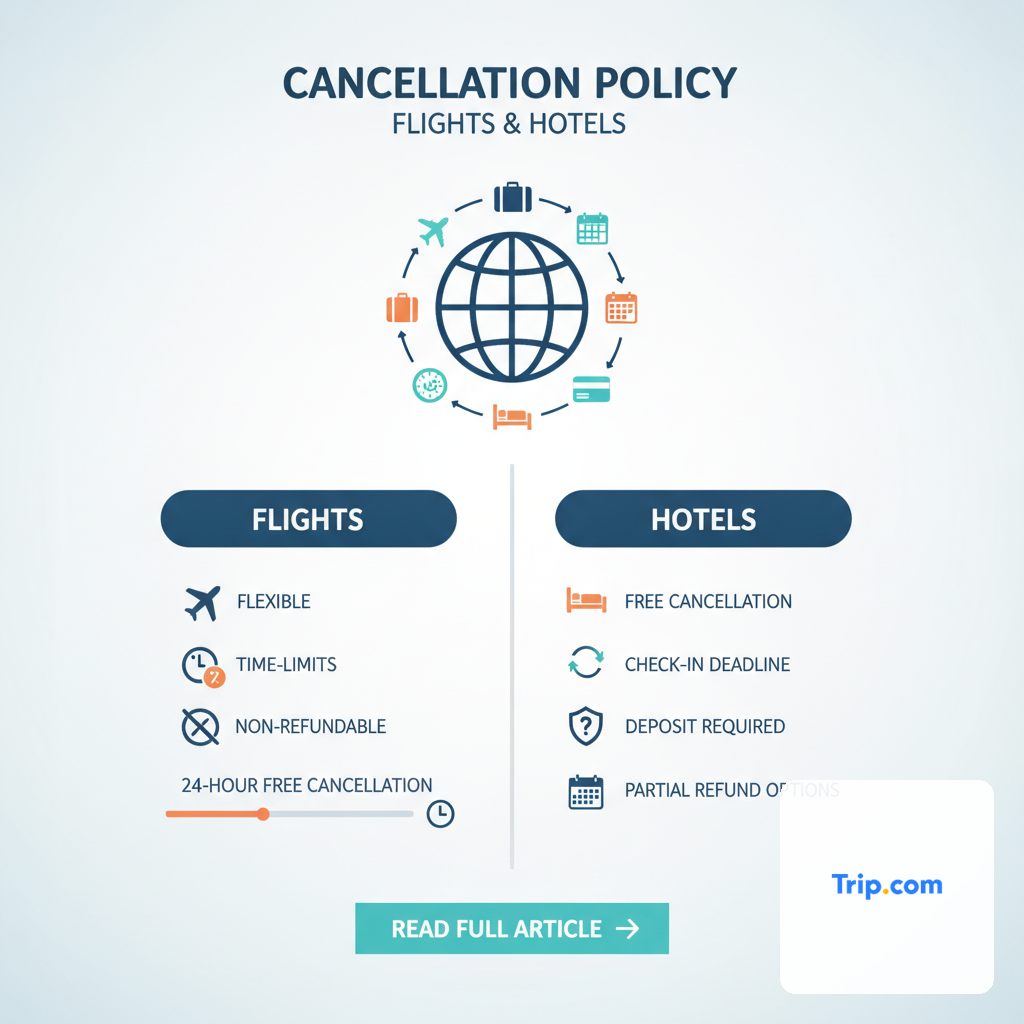
What is the Process for Cancelling a Trip.com Booking (Flights & Hotels)?
To cancel a Trip.com booking, travelers must initiate the request through their Trip.com account or by contacting customer support, following specific steps outlined in their "My Bookings" section. The process involves checking eligibility, confirming cancellation terms, and submitting the request, which is then processed according to the supplier's rules.
Initiating a cancellation on Trip.com is designed to be a relatively straightforward process, primarily managed through your online account. The first step involves logging into your Trip.com account and navigating to the "My Bookings" section. Here, you will find a comprehensive list of all your active flight and hotel reservations. Each booking typically has a "Cancellation Request" or a similar button clearly visible. Clicking this button will usually lead you to a page detailing the specific cancellation policy for that particular booking, including any potential refunds, fees, or deadlines.
Upon reviewing the terms, if you decide to proceed, you will be prompted to confirm your cancellation. For hotel bookings with free cancellation, the process is often instantaneous, and you'll receive an immediate confirmation of cancellation and refund (if applicable). For flights, or for hotel rates with penalties, the system will show you the exact refund amount you can expect, after deducting any airline/hotel fees and Trip.com's administrative charges. It's crucial to take screenshots of these pages, especially the refund breakdown and the final confirmation, as this documentation can be invaluable if any discrepancies arise later.
A real-world example demonstrates this process: Sarah booked a flight and a hotel for a business trip through Trip.com. A week before her departure, the business meeting was postponed. She logged into her Trip.com account, found her hotel booking under "My Bookings," and saw it had a "Free Cancellation" policy up to 24 hours before check-in. She clicked "Cancellation Request," confirmed, and received an email confirming the full refund almost instantly. For her flight, which was a standard economy fare, the cancellation terms indicated a significant penalty. Upon initiating the cancellation, Trip.com displayed that she would only receive a refund for the government taxes, with the base fare being forfeited. She carefully reviewed this, clicked to confirm, and received an email detailing the partial refund processing. This scenario underscores the importance of understanding the individual terms for each component of your trip.
While online cancellation is often the quickest route, especially for clear-cut cases like free cancellation hotels, phone support or live chat might be necessary for more complex scenarios. This includes situations where the online system doesn't reflect the policy accurately, for bookings made under special circumstances, or if you are past an online cancellation deadline but believe you have a valid reason (e.g., medical emergency with documentation) for a refund. In such cases, prepare all your booking details, including booking numbers, passenger names, and relevant dates, to expedite the process when contacting support.
Actionable Insight: Always attempt to cancel through your Trip.com account first. Carefully review the refund amount and any associated fees displayed before confirming. If the online process doesn't work or you have a complex situation, gather all your booking information and be prepared to contact Trip.com customer support directly.
How Do Refunds Work with Trip.com After a Cancellation?
Refunds from Trip.com following a cancellation are processed based on the specific cancellation policy of the airline or hotel, minus any applicable fees or non-refundable portions. The refund amount and processing time can vary significantly, with funds typically returned to the original payment method.
Once a cancellation request has been successfully submitted and confirmed through Trip.com, the subsequent refund process kicks into gear. It's vital to understand that Trip.com acts as a facilitator; it does not typically hold onto your funds. Instead, it liaises with the airline or hotel to confirm the cancellation and ascertain the eligible refund amount according to their specific policies. This process involves the supplier releasing the funds back to Trip.com, which then initiates the refund to your original payment method. This multi-step process is why refunds are not always instantaneous.
The amount you receive back is entirely dependent on the terms of your booking. For "Free Cancellation" hotel rates, you should expect a full refund of the amount paid. For flights or hotel rates with penalties, the refund will be the original payment minus any cancellation fees imposed by the airline/hotel and potentially a small administrative fee from Trip.com. Sometimes, only the airport taxes and government-imposed fees for flights are refundable, with the base fare being entirely non-refundable. In other instances, especially for flights, instead of a cash refund, you might receive a travel credit or voucher from the airline, which can be used for future bookings, subject to the airline's terms and conditions (e.g., validity period, transferability).
Let's illustrate with an example: A traveler books a flight from New York to Los Angeles for $300 through Trip.com. The fare rules state a $150 cancellation fee plus a $20 Trip.com processing fee. If they cancel, they would receive $130 back ($300 - $150 - $20). The processing time for refunds can vary. While Trip.com states that it usually processes refunds within 7-14 business days after receiving confirmation from the supplier, it's not uncommon for this to extend to 30 days or even longer, especially during peak travel periods or for complex international bookings. The actual crediting of funds to your bank account or credit card can then take an additional 3-10 business days, depending on your financial institution.
When comparing Trip.com's refund speed to direct bookings, there can be a slight difference. Booking directly with an airline or hotel often results in a faster refund process because there's one less intermediary. The supplier directly credits your account without needing to route funds through an OTA. However, the underlying refund eligibility and amount remain the same. The key is to track your refund status through your Trip.com account, where they often provide updates, and if necessary, follow up with their customer support if the refund timeline is exceeded.
Actionable Insight: Understand that the refund process involves multiple parties and can take time. Always check your booking's specific refund eligibility before cancelling. Document all communications and keep an eye on your bank statements. If a refund takes longer than 30 days, proactively follow up with Trip.com support.
What Happens if My Flight or Hotel is Cancelled by the Supplier or Due to Disruption?
If an airline or hotel cancels a booking, or if major disruptions like natural disasters or pandemics occur, Trip.com generally assists travelers in seeking refunds or alternative arrangements as per the supplier's involuntary cancellation policies. These situations often offer greater refund flexibility than voluntary cancellations.
When a flight or hotel booking is cancelled by the airline or accommodation provider - rather than by the traveler - the scenario shifts dramatically. This is known as an involuntary cancellation, and passenger rights and consumer protection laws often provide significantly more leverage for refunds or alternative arrangements. Trip.com's role here is to advocate for the traveler and facilitate the resolution based on the supplier's policies and applicable regulations.
For flights, if an airline cancels a flight, you are generally entitled to a full refund to your original payment method, even if you booked a non-refundable ticket. This is a fundamental consumer right in many jurisdictions, including the United States (Department of Transportation - DOT) and the European Union (EU261 regulation). Airlines are also typically obligated to offer alternative flights, and in some cases, compensation for delays or overnight accommodation. Trip.com will work with the airline on your behalf to secure these entitlements, communicating the options available to you, whether it's a full refund, rebooking on another flight, or a travel voucher.
Similarly, if a hotel cancels your reservation - perhaps due to overbooking, unforeseen maintenance issues, or closure - they are typically responsible for providing a full refund. In many cases, hotels will also endeavor to rehouse guests in a comparable property nearby, sometimes even covering the cost difference. Trip.com will facilitate communication with the hotel and ensure that their contractual obligations to you are met. While Trip.com acts as the go-between, the primary responsibility for the refund or re-accommodation lies with the airline or hotel that initiated the cancellation.
Consider a situation where a traveler's flight, booked through Trip.com, is cancelled due to an airline strike. Even though they had a non-refundable economy ticket, because the cancellation was involuntary, they would be entitled to a full cash refund from the airline. Trip.com's customer support would contact the traveler, present the options (refund or rebooking), and process the chosen resolution. This is a stark contrast to a voluntary cancellation, where the non-refundable nature of the ticket would mean losing the entire fare. Force majeure events, such as natural disasters, severe weather, or widespread pandemics, also fall under involuntary cancellation, often triggering more flexible refund or credit policies, though these can sometimes be subject to government advisories and airline-specific waivers.
Actionable Insight: In cases of supplier-initiated cancellations or major disruptions, know your passenger rights. Contact Trip.com immediately, but be aware that you are typically entitled to a full refund regardless of your original fare type. Document all communications with both Trip.com and the supplier, and be prepared for potential delays in resolution, especially during large-scale disruptions.

Are There Any Hidden Costs or Service Fees When Cancelling on Trip.com?
While Trip.com aims for price transparency, travelers may encounter service fees or administrative charges when cancelling, particularly for complex bookings or if the cancellation request requires manual intervention. These are separate from any penalties imposed by the airline or hotel.
Understanding the full financial picture of a cancellation involves looking beyond just the airline or hotel's penalties. Trip.com, like many other online travel agencies, may levy its own administrative or processing fees for handling cancellation requests. These fees are generally nominal but can add to the total cost of cancelling a booking. The rationale behind these fees is to cover the operational expenses associated with processing the cancellation with the supplier, managing communication, and initiating the refund process on behalf of the customer. These charges are usually clearly disclosed during the cancellation process itself, before you finalize your decision to cancel.
It is crucial to differentiate between Trip.com's service fees and the cancellation penalties imposed by the airline or hotel. The supplier's penalty is often a substantial portion of the fare or rate, reflecting their lost revenue. Trip.com's fee, on the other hand, is an administrative charge for their service. For example, an airline might charge a $100 cancellation fee for a flight, and Trip.com might add an additional $10 administrative fee. In this scenario, the total deduction from your original payment would be $110, plus any non-refundable portions of the fare itself.
Consider a traveler who booked a complex multi-city flight itinerary through Trip.com. This type of booking often requires more manual intervention from Trip.com's customer service team to liaise with multiple airlines for cancellation. In such a scenario, Trip.com might apply a small service fee that wouldn't be present for a simple, single-airline booking or a straightforward hotel cancellation. This fee is justified by the extra effort required to untangle the various components of the booking and coordinate the respective refunds. While it's not a "hidden" cost in the sense of being undisclosed, it's an additional layer of expense that some travelers might not anticipate.
Comparison with other OTAs reveals a similar practice; most online travel agencies have their own fee structures for cancellations and changes, especially for non-flexible bookings. The actual amount can vary, but the principle remains consistent: the convenience of using a single platform for multiple bookings might come with a small processing charge if those bookings need to be altered or cancelled. Booking directly with an airline or hotel typically bypasses these OTA-specific administrative fees, leaving only the supplier's penalties (if any) to contend with. However, direct bookings might not offer the same price comparison advantages as an OTA.
Actionable Insight: Always review the full breakdown of charges presented by Trip.com before confirming a cancellation. Ensure you understand both the supplier's penalty and any additional administrative fees from Trip.com. For simple bookings with high flexibility, booking directly can sometimes save you these nominal OTA service fees.
How Reliable is Trip.com Customer Support for Cancellations and Refunds?
Trip.com customer support for cancellations and refunds receives mixed reviews, with some travelers reporting efficient assistance and others experiencing delays or difficulties, particularly during peak travel seasons or complex cases. Support channels include live chat, phone, and a comprehensive help center.
The reliability of customer support is a critical factor when dealing with cancellations and refunds, especially when travel plans are urgent or financially significant. Trip.com offers multiple channels for support, including a 24/7 global customer service hotline, live chat functionality within their website and app, and an extensive online help center with FAQs. However, traveler experiences can vary. During off-peak times or for straightforward requests, many users report efficient and helpful interactions. Conversely, during major travel disruptions, peak seasons, or for complex refund scenarios, response times can lengthen, and reaching a satisfactory resolution may require persistence.
A common challenge highlighted by some travelers is the initial reliance on automated systems or pre-written responses, which may not fully address nuanced cancellation queries. While the live chat can be effective for quick questions, complex refund eligibility debates or advocating for special circumstances (e.g., medical emergencies post-deadline) often necessitate escalating to phone support. The availability of multilingual support is a strong point for Trip.com, catering to its global user base, but the quality of assistance can sometimes depend on the specific agent encountered.
Consider a real-world scenario: John needs to cancel a flight booked through Trip.com due to a sudden illness. He tries the live chat first, but the automated responses don't cover his specific situation, which requires submitting a doctor's note for a potential waiver. He then calls the 24/7 hotline. After a wait, he connects with an agent who guides him through the process of submitting documentation and explains the likelihood of a partial refund or credit, depending on the airline's compassion policy. This example illustrates that while initial support might be generic, dedicated phone support can often provide the tailored assistance needed for more intricate cases, though patience may be required.
When comparing Trip.com's support with booking directly, the primary difference lies in the direct line of communication. When you book directly with an airline or hotel, you deal with their customer service teams, who have immediate access to their internal policies and systems, potentially leading to quicker resolutions for specific issues. With Trip.com, an extra layer of communication is introduced, as Trip.com's agents often need to liaise with the supplier on your behalf. This can sometimes lead to longer resolution times, particularly when Trip.com is awaiting a response or approval from the airline or hotel. However, for travelers who prefer a single point of contact for multiple bookings, Trip.com's consolidated support can be an advantage.
Actionable Insight: For urgent or complex cancellation/refund issues, prioritize phone support and be prepared with all booking details. Document every interaction, including agent names, timestamps, and reference numbers. If initial responses are unsatisfactory, politely request to speak with a supervisor or follow up persistently. Patience and clear communication are key to navigating challenging support scenarios.
What Alternatives or Protections Should Travelers Consider for Flexibility?
Travelers seeking maximum flexibility should consider booking "flexible" or "free cancellation" rates directly with airlines/hotels, purchasing "Cancel for Any Reason" travel insurance, or opting for travel credit cards with built-in travel protection. These alternatives offer varying degrees of peace of mind beyond standard Trip.com policies.
While Trip.com offers a vast array of travel options, understanding external alternatives and protections can significantly enhance your flexibility and mitigate financial risk. One of the most straightforward ways to gain flexibility is to book directly with the airline or hotel and specifically choose their "flexible" or "free cancellation" rates. While these might be slightly more expensive than non-refundable options, they offer direct control over changes and cancellations with the primary service provider, often simplifying the support process and potentially providing faster refunds without an intermediary.
Another powerful tool for flexibility is comprehensive travel insurance, particularly a "Cancel for Any Reason" (CFAR) policy. Standard travel insurance typically covers cancellations only for specific, unforeseen events (e.g., illness, death in the family, severe weather). CFAR insurance, however, allows you to cancel your trip for virtually any reason and receive a partial reimbursement (usually 50-75%) of your non-refundable trip costs. This type of policy offers the highest level of flexibility and is especially valuable for expensive, complex, or non-refundable bookings made through any platform, including Trip.com. It acts as an independent layer of protection, providing a safety net regardless of the underlying booking's rigidity.
Additionally, many premium travel credit cards offer built-in travel protection benefits. These can include trip cancellation and interruption insurance, baggage delay coverage, and even rental car insurance, provided you pay for your booking with that specific card. The extent of coverage varies significantly by card, so it's essential to review your cardholder agreement thoroughly. While these benefits might not be as comprehensive as a dedicated CFAR policy, they can provide a valuable baseline of protection, covering common issues like unforeseen medical emergencies or involuntary cancellations by suppliers, offering a supplementary layer of security to your Trip.com bookings.
A comparison highlights the trade-offs: booking a non-refundable flight on Trip.com is the cheapest but riskiest option. Upgrading to a flexible fare (either on Trip.com or direct) costs more but reduces risk. Adding a CFAR insurance policy provides the ultimate safety net for any booking, but it's an additional cost. Relying on credit card benefits is often the most cost-effective additional protection, but with potentially narrower coverage. The choice depends on your personal risk tolerance, the overall cost of your trip, and the certainty of your travel plans. For an expensive, non-refundable trip, a CFAR policy might be a prudent investment, offering a peace of mind that no OTA policy can individually guarantee.
Actionable Insight: For high-value or uncertain trips, seriously consider purchasing a "Cancel for Any Reason" travel insurance policy. For more modest bookings, leverage the travel protection benefits offered by your credit card. Always compare these external protections against the specific flexibility offered by Trip.com's booking options to choose the best strategy for your needs.

Navigating Trip.com's Cancellation Policy for Specific Scenarios: Beyond the Basics
Beyond standard flight and hotel cancellations, Trip.com's policy framework also addresses unique scenarios like package deals, tours and activities, and special circumstances such as visa denials or medical emergencies, with outcomes often dependent on the specific provider's terms and supporting documentation.
The general principles of supplier-dependent policies extend to all types of bookings on Trip.com, but specific products introduce their own nuances. Package deals, which bundle flights and hotels, often have stricter and more complex cancellation rules than individual bookings. When you cancel a package, you are dealing with a combination of airline and hotel policies, and the package provider itself (often Trip.com in this context) might have an overarching policy that dictates how much of the bundle is refundable. Typically, package cancellations incur higher penalties due to the intertwined nature of the components, making them less flexible than booking each part separately with individual free cancellation options.
For tours, activities, and attractions booked through Trip.com, the cancellation policies are usually more straightforward. Many experiences offer "free cancellation" up to 24 or 48 hours before the activity starts, similar to flexible hotel rates. This is designed to give travelers peace of mind for their day-trip planning. However, once past this deadline, or for certain high-demand or bespoke experiences, tickets might become non-refundable. It's essential to check the specific policy for each activity, as displayed on its Trip.com listing page, before finalizing your purchase.
Special circumstances, such as a sudden medical emergency, a death in the family, or a visa denial, present a different challenge. While many standard non-refundable bookings do not automatically qualify for a refund, Trip.com can act as an intermediary to appeal to the airline or hotel on your behalf. This process almost always requires strong supporting documentation, such as a doctor's note, death certificate, or official visa rejection letter. The outcome is at the discretion of the individual supplier, who may offer a partial refund, a travel credit, or a waiver of fees as a goodwill gesture, particularly if the circumstances are compelling and well-documented. Trip.com's customer service can guide you on what evidence is needed and how to submit it.
An example illustrates this: a traveler booked a non-refundable flight and a non-refundable tour through Trip.com. Unfortunately, a week before departure, they were denied a visa. For the flight, with official visa denial documentation, Trip.com contacted the airline, which, after review, offered a partial refund for the taxes and a future travel credit for the base fare. For the tour, which had a strict 72-hour non-cancellable policy, the local operator refused any refund, even with documentation, due to the short notice. This highlights the varying responses from different suppliers, even under similar extenuating circumstances.
Actionable Insight: For package deals, be aware of potentially stricter cancellation terms. For tours and activities, aim for free cancellation options. For medical emergencies or visa issues, immediately gather comprehensive documentation and contact Trip.com support to explore potential supplier waivers, understanding that outcomes are not guaranteed.
Understanding Trip.com's Change Policy: Modifying Instead of Cancelling
Trip.com's change policy for flights and hotels also heavily depends on the underlying supplier's rules, allowing modifications like date or name changes, typically for a fee. Opting to change a booking can sometimes be a more cost-effective alternative to outright cancellation, especially for non-refundable tickets or rates.
While cancellation often implies losing a significant portion of your payment, changing a booking can sometimes provide a more flexible and less financially punitive alternative. Similar to cancellations, Trip.com's ability to facilitate changes is entirely governed by the specific fare rules of your flight ticket or the rate conditions of your hotel reservation. Many tickets, even those labeled "non-refundable," may permit changes for a fee, plus any difference in fare between the original and new booking.
For flights, changing your travel dates, times, or even the destination (sometimes only permissible within the same airline alliance or region) often incurs a change fee imposed by the airline. This fee can range from a nominal amount to several hundred dollars, depending on the airline and the fare class. Additionally, if the new flight costs more than your original one, you will also be responsible for paying the fare difference. If the new flight is cheaper, airlines generally do not refund the difference, making changes potentially expensive. Trip.com will display these potential costs transparently before you commit to a change request through their platform.
Hotel bookings often offer greater flexibility for changes, particularly if you booked a "flexible" or "free cancellation" rate. Within the free cancellation window, you can typically modify your dates or even guest names without penalty, assuming availability and potentially a rate difference. For non-refundable hotel bookings, changes are usually not permitted, or they might be treated as a cancellation with full forfeiture. However, some hotels might offer a one-time date change as a gesture of goodwill, especially if you contact them far in advance or through Trip.com's support with a compelling reason.
Consider a scenario where a traveler needs to postpone a hotel stay by two weeks. If they booked a "free cancellation" rate through Trip.com, they can easily log in, find their booking, and modify the dates without any fees, provided the new dates are available and they make the change before the cancellation deadline. If they had booked a non-refundable hotel, changing the dates would likely be impossible through the platform, forcing them to cancel and rebook, thereby losing their initial payment. For a flight, if they purchased a standard economy ticket, they might be able to change the date for a $75 airline change fee plus a $50 fare difference, a total of $125, which is still less than losing the entire non-refundable ticket price.
Actionable Insight: Before deciding to cancel a non-refundable booking, always explore the option to change it. Use Trip.com's "Manage My Booking" section or contact customer support to inquire about change fees and fare differences. This can often be a more financially advantageous solution than a full cancellation, especially if your travel plans are simply shifting rather than being entirely abandoned.
| Hotel Rate Type | Typical Flexibility | Cancellation Deadline | Changeability (Date/Name) | Refund Eligibility |
|---|---|---|---|---|
| Non-Refundable | Very Low | None | Rarely, or treated as cancellation | None |
| Partially Refundable | Low to Medium | Varies (e.g., 7 days prior) | Yes, with Fees | Partial Refund/Credit |
| Free Cancellation | High | Varies (e.g., 24-48 hrs prior) | Yes, Often Free | Full Refund |
| Member/Package Rates | Varies | Specific to terms | Specific to terms | Specific to terms |
Optimizing for Trip.com Free Cancellation: Tips and Best Practices
Optimizing for Trip.com's "Free Cancellation" feature requires proactive planning and diligent attention to booking details, allowing travelers to secure reservations with minimal financial risk. This option is a cornerstone of flexible travel planning, particularly for hotel accommodations, and leveraging it effectively can save significant money and stress.
The core principle of free cancellation is simple: you can reserve a room (or sometimes a flight/activity) and cancel it without penalty up to a certain point in time. On Trip.com, this feature is most prevalent and robust for hotel bookings. When searching for accommodations, always look for and utilize the "Free Cancellation" filter. This will narrow down your results to properties that offer this flexibility, making it easier to identify suitable options. Once you select a hotel, ensure you specifically choose the "Free Cancellation" rate option during the booking process, as some hotels may offer multiple rates for the same room, with varying flexibility.
A critical aspect of maximizing free cancellation is understanding and adhering to the deadline. Each free cancellation policy comes with a specific cut-off time, usually expressed as a number of hours or days before check-in. Missing this deadline, even by a few minutes, can result in being charged for at least one night's stay, or even the full booking amount, depending on the hotel's terms. It is highly advisable to set calendar reminders for these deadlines, especially for multiple bookings, to ensure you act promptly if your plans change. Trip.com will typically send confirmation emails that clearly state these deadlines, so keeping these emails accessible is a good practice.
Consider a traveler planning a multi-city European tour. They are unsure about the exact duration of their stay in each city. By utilizing Trip.com's "Free Cancellation" filter for all their hotel bookings, they can make tentative reservations in multiple cities without immediate financial commitment. As their itinerary solidifies, they can easily cancel the unnecessary bookings before their respective deadlines. This strategy allows for meticulous planning and flexibility, contrasting sharply with a scenario where they booked non-refundable rates, forcing them to adhere rigidly to their initial plan or forfeit money. This approach is particularly effective for popular destinations where rooms might book up quickly; you can secure a spot and then refine your choices later.
Comparing this strategy to booking non-refundable rates highlights the value proposition. While non-refundable rates are often cheaper, the potential savings are quickly negated if you need to cancel. The slightly higher cost of a free cancellation rate acts as an insurance premium for your flexibility. While Trip.com does not offer a "Cancel for Any Reason" insurance product directly, its facilitation of supplier-provided free cancellation options serves a similar purpose for specific types of bookings. Always cross-reference the free cancellation terms with any specific needs, such as a late check-in or early departure, to ensure alignment.
Actionable Insight: Always apply the "Free Cancellation" filter when searching for hotels on Trip.com if your plans are not fixed. Pay diligent attention to the exact cancellation deadline for each booking, and leverage digital reminders to avoid inadvertently missing the window. This proactive approach ensures maximum flexibility and financial protection for your hotel stays.
Navigating Trip.com During Major Disruptions: Pandemics, Natural Disasters, and Airline Strikes
Navigating Trip.com during major disruptions like pandemics, natural disasters, or widespread airline strikes requires travelers to understand the evolving nature of policies, supplier waivers, and Trip.com's role in facilitating resolution. These events often trigger exceptional measures from airlines and hotels, which Trip.com helps to communicate and process.
Major disruptions, often categorized as "force majeure" events, fundamentally alter the standard cancellation landscape. Unlike individual voluntary cancellations, these widespread incidents affect numerous travelers and often lead to airlines, hotels, and even governments issuing special waivers or revised policies. During such times, Trip.com acts as a crucial communication channel, relaying updated information from suppliers and assisting travelers in navigating the complexities of the Trip.com cancellation policy to apply for eligible refunds, rebookings, or credits.
For instance, during a global pandemic, airlines might issue system-wide waivers allowing travelers to cancel non-refundable flights for a full refund or a travel voucher with extended validity. Similarly, hotels in affected regions might relax their non-refundable policies. Trip.com's customer support teams become inundated during these periods, but their primary function is to interpret and apply these evolving supplier waivers to your bookings. This means that even if your booking was initially non-refundable, an involuntary cancellation due to a major event could make you eligible for a refund or a flexible credit.
Consider a scenario where a volcanic eruption grounds all flights in a specific region, impacting a traveler's flight and hotel booked via Trip.com. Even if both were non-refundable, the airline would likely issue a travel waiver, offering a full refund or free rebooking. The hotel in the affected area might also offer a full refund due to the impossibility of travel. Trip.com's role would be to confirm these waivers with the respective suppliers and process the refund or rebooking requests for the traveler. This contrasts with a simple change of plans, where the non-refundable status would stand. The key is that the reason for cancellation is external and unavoidable, often leading to more favorable outcomes.
When comparing Trip.com's support during these crises with direct bookings, the experience can be mixed. Booking direct might allow for more immediate communication with the supplier and faster processing of waivers. However, Trip.com's consolidated approach means they are handling thousands of such cases, often streamlining the application of waivers across various suppliers, which can be beneficial if you have multiple bookings affected. The challenge for Trip.com during such periods is the sheer volume, which can lead to longer wait times and processing delays, a common complaint across all OTAs during crises.
Actionable Insight: During major disruptions, closely monitor official news and advisories from airlines, hotels, and government bodies. Contact Trip.com immediately if your booking is affected, even if it was non-refundable. Be patient but persistent, gather all relevant information, and understand that the outcome is primarily driven by the supplier's specific waiver policies in response to the crisis, which Trip.com helps to navigate.
The Importance of Reading the Fine Print: Trip.com Terms & Conditions
The importance of reading the fine print, specifically Trip.com's terms and conditions alongside supplier-specific rules, cannot be overstated when it comes to cancellations. These documents are the definitive guide, outlining eligibility, deadlines, fees, and the precise process for any changes or refunds, thereby preventing misunderstandings and financial surprises.
In the digital age of quick bookings and one-click purchases, the habit of skimming or outright ignoring terms and conditions has become prevalent. However, for travel bookings made through an intermediary like Trip.com, this oversight can be costly. Trip.com's general terms and conditions govern your relationship with the platform itself, covering aspects like payment processing, data privacy, and the general framework for how they operate as an OTA. Crucially, these terms will always refer back to the fact that the specific cancellation and change policies for your flight or hotel are dictated by the individual airline or accommodation provider. It is this dual layer of legal documents that travelers must comprehend.
For every booking, Trip.com makes an effort to highlight the key cancellation terms during the checkout process and within your confirmation email. This includes whether a booking is refundable, partially refundable, or non-refundable, the exact deadline for free cancellation (if applicable), and any associated fees. However, these summaries are often just that - summaries. The full details, including nuances about specific fare classes, non-refundable taxes, or the exact mechanism for processing a credit, are contained within the more extensive fare rules (for flights) or rate conditions (for hotels) provided by the supplier, often linked directly from the Trip.com booking page.
Consider a traveler who assumes a "flexible" flight means a full cash refund. Upon reading the fine print for their specific fare through a link on Trip.com, they might discover that "flexible" actually means a full credit (voucher) for future travel with the same airline, minus a change fee, but not a cash refund. This crucial distinction, often buried in the detailed fare rules, can drastically alter a traveler's financial expectations. Similarly, for hotels, a "free cancellation" policy might specify that it excludes resort fees or only applies to the room rate, not to pre-booked add-ons like breakfast or airport transfers.
The actionable insight here is that while Trip.com provides a convenient platform, it is incumbent upon the traveler to do their due diligence. Compare the summary information provided by Trip.com with a quick review of the detailed terms if you have any doubts, especially for expensive or complex bookings. This proactive step helps clarify potential ambiguities regarding refunds, change fees, and the exact window for penalty-free cancellations. Ignoring the fine print is akin to signing a contract without reading it; you are bound by its stipulations, whether you were aware of them or not.
Actionable Insight: Always take a few extra minutes to review the specific fare rules or hotel rate conditions for your chosen booking, even if the Trip.com summary seems clear. Look for links to "Detailed Rules," "Fare Conditions," or similar sections. This diligence ensures you fully understand your rights and obligations, preventing costly surprises during a cancellation or change request.
Conclusion: Navigating Trip.com Cancellations with Confidence
The world of online travel booking offers unparalleled convenience, but the complexities of cancellation policies, particularly through intermediaries like Trip.com, demand a proactive and informed approach. Our deep dive reveals that the Trip.com cancellation policy is not a singular, uniform rule but rather a dynamic framework heavily influenced by the specific terms and conditions of the underlying airlines and hotels, coupled with its own administrative processes.
Key insights underscore the paramount importance of reading the fine print: the distinction between refundable and non-refundable fares for flights, the critical deadlines for "free cancellation" hotel rates, and the potential for Trip.com's own service fees. We've seen that while Trip.com facilitates the cancellation and refund process, the ultimate eligibility and amount are dictated by the supplier's rules, which vary significantly based on fare class, rate type, and the timing of your request. Furthermore, in instances of involuntary cancellations due to supplier actions or major global disruptions, specific consumer rights and waivers often come into play, offering greater protection than voluntary cancellations.
For travelers seeking maximum flexibility, Trip.com is an excellent platform for comparing various options, especially when utilizing filters for "free cancellation" hotels. However, for those requiring absolute certainty and minimal intermediary involvement, direct bookings with airlines or hotels, or investing in external protections like "Cancel for Any Reason" travel insurance, may offer superior peace of mind. The reliability of Trip.com's customer support can be mixed, necessitating persistence and clear documentation for complex cases.
Ultimately, navigating Trip.com's cancellation policies with confidence means embracing vigilance. Before confirming any booking, meticulously review the specific cancellation terms for your chosen flight or hotel. Understand the potential fees, deadlines, and the expected refund process. By being informed and proactive, you can leverage Trip.com's vast booking capabilities while minimizing financial risk and ensuring a smoother experience, even when unforeseen changes require you to alter your carefully laid travel plans.
Frequently Asked Questions
Trip.com cancellation is not universally free; it strictly depends on the specific fare rules for flights or rate conditions for hotels you selected at the time of booking. Many hotel rates offer "free cancellation" up to a certain deadline, allowing full refunds without penalty. However, most flight tickets, especially cheaper economy fares, are non-refundable or incur significant cancellation fees imposed by the airline. Trip.com also reserves the right to charge its own nominal administrative fee for processing cancellations, even if the underlying supplier policy allows a refund. Always review the terms before confirming your booking.
The processing time for Trip.com refunds varies. After you submit a cancellation request, Trip.com must first receive confirmation from the airline or hotel regarding the eligible refund amount. Once this is confirmed, Trip.com typically states that refunds are processed within 7-14 business days. However, this timeline can extend, especially during peak travel periods or for complex international bookings, potentially taking up to 30 days or more. After Trip.com processes the refund, it can take an additional 3-10 business days for the funds to reflect in your bank account or credit card statement, depending on your financial institution. Patience is often required.
Yes, changing your Trip.com flight instead of cancelling is often an option, but it's entirely dependent on the specific fare rules of your ticket. Many flight tickets, even non-refundable ones, allow for date or time changes for a fee. This change fee is imposed by the airline, and you'll also typically pay any difference in fare between your original and new flight. Trip.com will facilitate this change and clearly display all associated costs before you confirm. Changing a flight can sometimes be a more cost-effective solution than outright cancellation, especially if you're looking at a significant cancellation penalty for your original ticket.
Trip.com's "no-show" policy for hotels follows the specific hotel's terms and conditions. If you fail to check into your hotel reservation without prior cancellation, you will generally be considered a "no-show." For non-refundable bookings, this means you will forfeit the entire payment. For flexible or "free cancellation" rates, if you miss the cancellation deadline and do not show up, the hotel will typically charge you for at least the first night's stay, and in some cases, the full booking amount. It is crucial to cancel any unwanted hotel bookings before their designated deadlines to avoid these charges.
Trip.com does not directly offer its own "Cancel for Any Reason" (CFAR) travel insurance product. While they may offer standard travel insurance options from third-party providers during the booking process, these policies typically only cover cancellations for specific, predefined reasons (e.g., illness, death, severe weather). If you require the ultimate flexibility of a CFAR policy, which allows you to cancel for virtually any reason and receive a partial reimbursement, you would need to purchase such a policy separately from a dedicated travel insurance provider. Always review the policy wording carefully to understand coverage limits and exclusions.
If your Trip.com booking is non-refundable but you encounter a genuine emergency (e.g., severe illness, family bereavement, visa denial), you should immediately contact Trip.com customer support. While a non-refundable booking typically means no refund, Trip.com can act as an intermediary to appeal to the airline or hotel on your behalf for a waiver or partial credit. This process almost always requires submitting comprehensive supporting documentation, such as medical certificates or official letters. The outcome is at the sole discretion of the supplier, who may offer a goodwill gesture, but it is not guaranteed. Early contact and thorough documentation are key.
When you book through Trip.com, it is generally better to initiate the cancellation process through your Trip.com account or their customer support. This ensures that Trip.com, as the merchant of record, is aware of the cancellation and can properly process any eligible refund from the supplier back to your original payment method. Cancelling directly with the airline or hotel might complicate the refund process, as they may direct you back to Trip.com. The only exception might be during major disruptions when airlines/hotels issue widespread waivers, or if you have difficulty reaching Trip.com support, where contacting the supplier might be necessary to confirm policy changes.