

How to Find the Cheapest Flights on Skyscanner: An Expert's Guide

How to Find the Cheapest Flights on Skyscanner? A Guide to Saving Money on Air Travel
The thrill of planning a new adventure is often tempered by the daunting task of finding an affordable flight. You spend hours toggling between dates, destinations, and airline websites, only to watch prices fluctuate unpredictably. It's a frustrating dance that can make you question if a good deal is even possible. But what if you had a powerful tool and the right strategy to consistently find the lowest fares? That's where Skyscanner comes in, but simply using its search bar is just scratching the surface.
The secret to how to find cheapest flights on Skyscanner isn't about luck; it's about mastering its powerful, often-hidden features. The key is to shift your mindset from searching for a specific flight to discovering the best value travel opportunities. This involves embracing flexibility, leveraging smart tools like 'Everywhere' and 'Whole Month' searches, and understanding the nuances of how the platform works. By thinking like a travel hacker, you can turn Skyscanner from a simple search engine into your personal flight-finding concierge, unlocking deals you never thought possible.
This comprehensive guide will transform you from a casual searcher into a Skyscanner power user. We will move beyond the basics and dive deep into actionable strategies that seasoned travelers use to save hundreds, or even thousands, on airfare. These techniques build on the fundamentals of how to find cheap international flights, but apply them specifically to Skyscanner's powerful toolset. You will learn how to strategically deploy Price Alerts, explore the cost-saving potential of nearby airports, build complex multi-city trips for less, and even uncover 'hacker fares' that combine different airlines. Get ready to learn the exact methods that answer the question of how to find cheapest flights on Skyscanner and book your next trip for a fraction of the price.
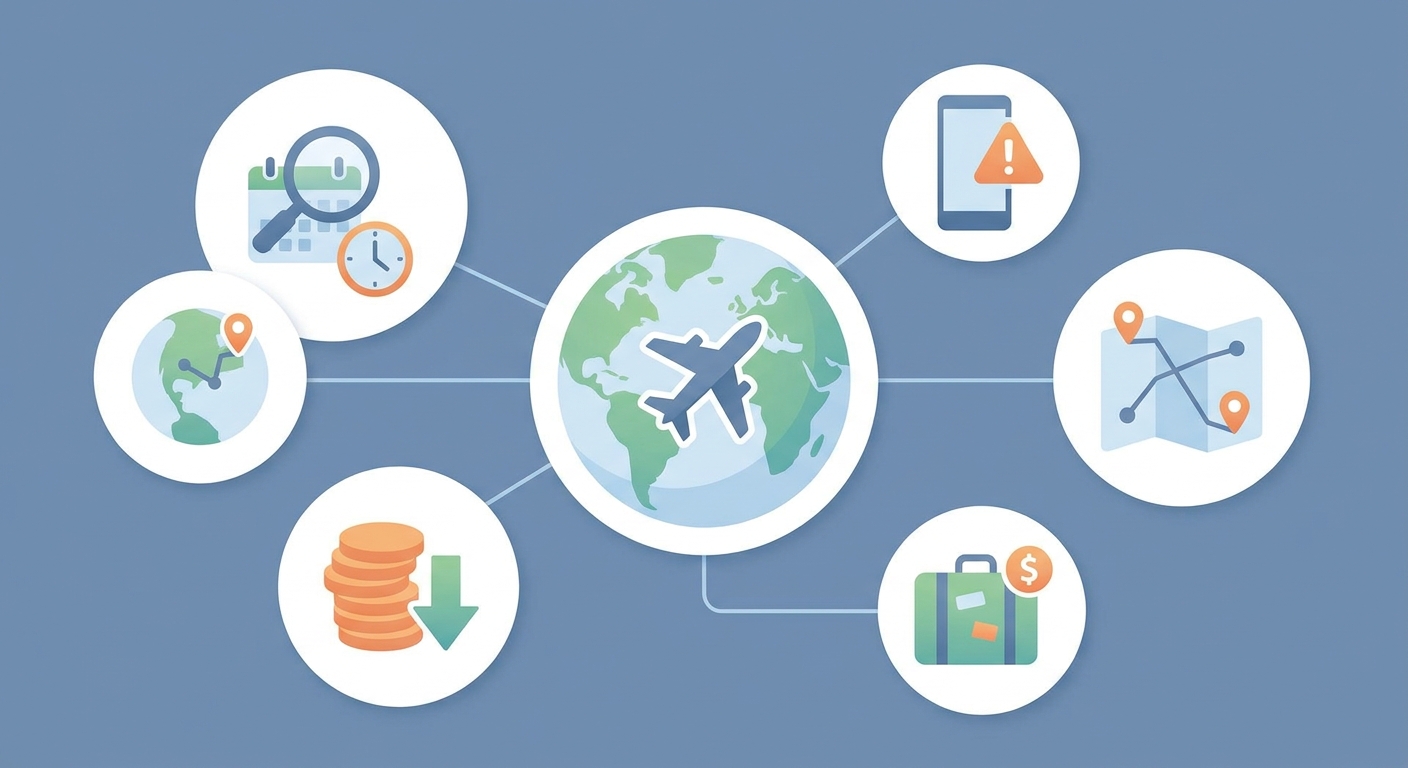
What is Skyscanner and How Does It Actually Find Cheap Flights?
Skyscanner is a global travel metasearch engine, not an online travel agency (OTA). This means it doesn't sell flights directly. Instead, it scours the internet, collecting and comparing prices from hundreds of airlines and OTAs like Expedia, Booking.com, and smaller, region-specific providers. It then presents these options in one place, allowing you to find the cheapest or best flight without having to search dozens of websites individually.
The power of Skyscanner lies in its comprehensive aggregation technology. When you enter a search query, its algorithms instantly send out requests to a massive network of partners. These partners return their current pricing and availability for your requested route. Skyscanner then sorts and filters this data, presenting it in a user-friendly format. This is why you can see the same flight offered at slightly different prices from various sellers; you might see a price from British Airways directly, another from Expedia, and a third from a smaller OTA called 'Fly-Far'. Skyscanner simply shows you all the available doors to buying that ticket, and lets you choose which one to walk through.
It's crucial to understand this distinction. When you click 'Book' or 'Select' on a flight, Skyscanner transfers you to the airline or OTA's website to complete the purchase. Your contract and payment are with that third party, not Skyscanner. This is a fundamental concept because it impacts customer service, baggage policies, and change fees. The price you see on Skyscanner should be the price you pay, but always double-check the final details on the provider's page before entering your credit card information, as some budget OTAs may add fees at the last minute.
Think of Skyscanner as the Google of flights. You wouldn't blame Google if a website it linked to had poor customer service; you'd recognize its role as a search and discovery tool. Similarly, Skyscanner's primary function is to find and compare. Its value comes from the sheer breadth of its search, uncovering options from carriers and agencies you may have never heard of, which can often lead to significant savings. Understanding this process is key to how to find cheapest flights on Skyscanner, as it allows you to leverage its technology to make informed decisions and find the best possible deal for your journey.
The Difference Between a Metasearch Engine and an OTA
A common point of confusion for travelers is the difference between a site like Skyscanner and a site like Expedia. An Online Travel Agency (OTA) like Expedia or Kayak has direct agreements with airlines to sell their tickets. They handle your booking, process your payment, and are your first point of contact for customer service. A metasearch engine like Skyscanner or Google Flights does not handle bookings. It is a data-driven tool that points you to where the deals are, including both OTAs and the airlines themselves. This is why Skyscanner can often find cheaper deals, as it might find a small, obscure OTA with a special promotion that larger sites miss.
The takeaway is to use Skyscanner for what it excels at: discovery and comparison. It casts the widest possible net to find every available price point. Once you've identified the best option, the next step is to vet the final booking provider. This strategic approach allows you to combine Skyscanner's powerful search capabilities with your own due diligence, ensuring you not only get a cheap flight but also a smooth booking experience.

How Can You Master Skyscanner's 'Everywhere' Search for Ultimate Flexibility?
The 'Everywhere' search is Skyscanner's most powerful feature for travelers with flexibility. Instead of searching for a specific destination, you simply enter your departure airport, select your dates (or even 'Cheapest Month'), and type 'Everywhere' in the destination box. Skyscanner then scans the globe and presents you with a list of countries, ordered from the cheapest to the most expensive to fly to from your location.
This tool fundamentally changes the way you plan a trip. It shifts the focus from 'Where do I want to go?' to 'Where can I afford to go?'. For budget-conscious travelers, backpackers, or anyone seeking spontaneous adventure, this is a game-changer. It opens up possibilities for destinations you may have never considered, simply because the airfare is incredibly low. Clicking on a country will then reveal specific cities, again ordered by price, allowing you to drill down to the most affordable airport within that nation.
Let's consider a real-world scenario. Imagine you're a student in Chicago with a two-week break in October and a budget of $700 for flights. Instead of trying to force a trip to a specific, potentially expensive city like Paris, you use the 'Everywhere' search. You input 'Chicago (ORD)' as your departure, select 'October' for the dates, and 'Everywhere' as the destination. The results might show you can fly round-trip to Bogota, Colombia for $350, Lisbon, Portugal for $450, or Dublin, Ireland for $480. Suddenly, three incredible and affordable adventures are on the table that you might have overlooked if you'd only searched for traditional destinations.
The key to mastering this feature is to approach it with an open mind. Don't have a fixed destination. Let the price guide your decision. This is particularly effective during shoulder seasons or off-peak times when airlines are looking to fill seats. The 'Everywhere' search uncovers these pockets of low demand and presents them as opportunities. It's the ultimate tool for serendipitous travel, ensuring your budget dictates the adventure, not the other way around. It encourages exploration and guarantees that you are starting your trip planning with the best possible value on your most significant expense: the flight.
Combining 'Everywhere' with Other Filters
To take this feature to the next level, combine it with other Skyscanner tools. For example, after you've performed an 'Everywhere' search, you can use the filters to specify 'non-stop flights only'. This can help you find cheap, direct routes you didn't know existed. You can also combine it with the 'Whole Month' or 'Cheapest Month' date options. Searching from 'New York' to 'Everywhere' in the 'Cheapest Month' will show you the absolute rock-bottom prices available for travel at any point in the near future, which is perfect for digital nomads or those with complete date flexibility. This multi-layered approach ensures you are squeezing every drop of value out of Skyscanner's data.

When Should You Use the 'Whole Month' and 'Cheapest Month' Features?
You should use Skyscanner's 'Whole Month' and 'Cheapest Month' features whenever your travel dates are not rigidly fixed. Even a few days of flexibility can lead to hundreds of dollars in savings. These tools are designed to visually display the price fluctuations across a period, allowing you to instantly spot the cheapest days to fly. The 'Whole Month' view is ideal when you know you want to travel in a specific month, say July, but don't care if you leave on the 5th or the 9th. The 'Cheapest Month' option is the ultimate tool for those with complete flexibility, as it scans the entire year to find the period with the lowest fares.
To use the 'Whole Month' feature, simply click on the date selection box and instead of choosing specific dates, select the 'Whole Month' tab and pick the month you're interested in. Skyscanner will then display the prices in two ways: a calendar view, where each day shows the lowest available price, or a chart view, which visualizes the price trends with bars. This makes it incredibly easy to see that flying on a Tuesday might be $150 cheaper than flying on a Friday. You can pinpoint the cheapest departure and return dates within your desired travel window.
Let's take a practical example. A family wants to fly from London to Orlando for a theme park holiday in August. They initially search for the first two weeks, Saturday to Saturday. The price comes back at $1200 per person. That's a huge expense. By switching to the 'Whole Month' view for August, they might discover that flying out on the last Tuesday of July and returning on the second Wednesday of August brings the price down to $750 per person. The trip is still roughly two weeks long and within the summer holidays, but shifting the dates by just a few days based on the calendar view saves the family of four a staggering $1800.
The 'Cheapest Month' feature is even more powerful for trips that aren't tied to a specific season, like a city break or a backpacking adventure. If you know you want to visit Japan from the West Coast of the USA, but don't have a set time of year, selecting 'Cheapest Month' could reveal that fares in April (cherry blossom season) are $1500, while fares in October (pleasant autumn weather) are just $800. This information can fundamentally shape your travel plans, ensuring you visit at a time that is not only beautiful but also significantly more affordable. These date flexibility tools are arguably the single most effective way to cut down on your flight costs before you even consider other tricks.

How Do Skyscanner Price Alerts Work and How Can You Use Them Strategically?
Skyscanner Price Alerts are automated notifications that inform you when the price of a specific flight you're tracking has changed. You set an alert for a particular route and date range, and Skyscanner will email you whenever the fare goes up or down. This simple tool is incredibly effective for moving from passive searching to active monitoring, letting technology do the hard work of checking prices daily.
Using Price Alerts strategically is about more than just setting one and waiting. The best approach is to be both specific and broad. First, if you have a very specific trip in mind - say, New York to Rome from June 10th to June 20th - set an alert for those exact dates. This is your baseline. However, airline pricing is complex, and a flight a day earlier or later could be much cheaper. Therefore, you should also set a few additional, slightly different alerts. For instance, set one for June 9th to June 19th, and another for a weekend-to-weekend trip within June. This creates a small net that can catch price drops you might otherwise miss.
For example, imagine you want to fly from Los Angeles to Tokyo in May. You've found a flight for $950, which is acceptable but not great. Instead of booking it immediately, you set a Price Alert. Over the next three weeks, you receive several notifications. The price dips to $920, then goes up to $1050. You wait. Then one morning, you get an alert: the price has dropped to $780 due to a limited-time airline sale. Because you were monitoring the flight passively, you can now book it at a significant discount. Without the alert, you would have had to manually check the price every day and likely would have missed the brief window of opportunity.
Furthermore, the data from the alerts themselves can be informative. If you notice a pattern - for instance, that the price for your route tends to dip mid-week - you can use that intelligence for future searches. It's also wise to set alerts well in advance of your trip (2-6 months for international travel) to get a feel for the typical price range. This helps you recognize what a genuinely good deal looks like when it appears. Don't just set an alert and forget it; use it as a research tool to understand the pricing dynamics of your chosen route. This strategic patience, powered by automation, is a hallmark of a savvy flight booker who knows how to find cheapest flights on Skyscanner.

Can Searching 'Nearby Airports' Really Save You Significant Money?
Yes, searching with the 'Add nearby airports' option checked can save you a significant amount of money, often hundreds of dollars per ticket. This feature expands your search to include alternative airports within a certain radius of your chosen departure and destination points. The savings come from the fact that major international hubs often have higher taxes and landing fees, which are passed on to the consumer. Budget airlines also frequently operate out of smaller, secondary airports to keep their costs down.
When you select this option on Skyscanner, the search results will include flights to and from these alternative airports, seamlessly integrated with the main airport results. For example, a search for a flight to London will automatically include results for Heathrow (LHR), Gatwick (LGW), Stansted (STN), Luton (LTN), and London City (LCY). The price difference between these can be enormous. A flight from New York to Heathrow might cost $800, while a flight to Gatwick on a budget carrier like Norse Atlantic could be $450. This simple checkbox instantly reveals these cheaper alternatives.
Consider a traveler planning a trip from Boston to Paris. Their initial search for Boston (BOS) to Charles de Gaulle (CDG) shows a fare of $900. By ticking 'Add nearby airports', they might discover two things. First, a flight from Providence (PVD), a 60-mile drive from Boston, to Paris Orly (ORY) is available for $600. Second, even from Boston, a flight to Orly is $750, cheaper than flying to CDG. The traveler now has options. Driving to Providence could save them $300 per ticket. Even if they don't want to drive, choosing the alternative Paris airport saves them $150.
However, it is crucial to weigh the trade-offs. The savings on the flight must be greater than the cost and inconvenience of using the alternative airport. You must research the cost of ground transportation (train, bus, or taxi) from the secondary airport to your final destination. A $200 saving on a flight to London Stansted might be negated if a last-minute train ticket into Central London costs $50 and adds two hours to your journey. Always do a quick search on the airport's website for transport options and costs before booking the flight. When the math works out, using nearby airports is one of the most reliable and effective strategies for reducing your travel expenses.
Comparison: Primary vs. Secondary Airports
Here's a table illustrating the potential trade-offs:
| Factor | Primary Airport (e.g., LHR, JFK, CDG) | Secondary Airport (e.g., STN, SWF, BVA) |
|---|---|---|
| Flight Cost | Generally Higher | Often Significantly Lower |
| Airline Options | Wide range of legacy and flag carriers | Dominated by low-cost and budget carriers |
| Ground Transport | Excellent, fast, and frequent connections (e.g., express trains) | Often requires a longer bus or train journey; can be more expensive |
| Convenience | Usually closer to the city center, more amenities | Further from the city, fewer amenities, may have less convenient hours |
| Overall Savings | Lower potential for massive flight discounts | High potential if ground transport is cheap and factored in |
The key takeaway is that 'cheapest flight' does not always mean 'cheapest trip'. A savvy traveler uses the 'nearby airports' feature to find potential deals and then spends ten minutes researching the logistics to confirm the savings are real.
What Are the Best Strategies for Using Skyscanner's Multi-City Search Tool?
The best strategy for using Skyscanner's Multi-City search tool is to create 'open-jaw' itineraries or build complex trips that are cheaper than a series of one-way tickets. An open-jaw ticket is one where you fly into one city and out of another (e.g., fly from New York to London, then return from Paris to New York). This is perfect for trips where you plan to travel overland between two destinations, saving you the time and money of backtracking to your arrival city.
The Multi-City tool is often overlooked by casual travelers who default to simple round-trip searches. To use it, you select 'Multi-City' instead of 'Round-trip' and then add flight legs one by one. You can add up to six legs to your itinerary. This is incredibly useful for planning trips like a European tour or a Southeast Asian backpacking adventure. Instead of booking individual flights as you go (which can be expensive last-minute), you can lock in a logical route at a lower price well in advance. For example, you could structure a trip as: Leg 1: Los Angeles to Rome, Leg 2: Rome to Athens, Leg 3: Athens to Los Angeles. Skyscanner's engine will then find the most cost-effective combination of airlines to fulfill this entire itinerary.
Let's illustrate with a detailed scenario. A couple wants to explore Italy for three weeks. Their initial plan is to book a round-trip flight from Chicago to Rome. This costs $1100 per person. During their trip, they want to visit Florence and Venice, and then see the Amalfi Coast near Naples. After their trip, they would have to take an expensive and time-consuming high-speed train from Naples all the way back to Rome to catch their flight home. Using the Multi-City tool, they can devise a much more efficient and cheaper plan. They search for a trip with two legs: Leg 1: Chicago to Venice. Leg 2: Naples to Chicago. This open-jaw ticket might cost only $950. They save $150 per person on the airfare and, more importantly, avoid the $100+ per person cost and half-day of travel time required to backtrack from Naples to Rome. The Multi-City search facilitates a linear, logical, and less stressful journey.
Another advanced strategy is to use the Multi-City tool to manually create long layovers, also known as stopovers. If you're flying from the US to Asia, you might find a flight on Icelandair with a layover in Reykjavik. Instead of a short 3-hour layover, you could use the Multi-City search to book Leg 1: Seattle to Reykjavik, and Leg 2: Reykjavik to Tokyo, two or three days later. Often, the price for this is very similar to the direct flight, effectively giving you a free mini-trip to Iceland. This technique requires creativity and research but can add immense value to your travels, allowing you to explore an extra city for little to no additional airfare cost.
Does Using a VPN or Incognito Mode Affect Skyscanner Prices?
Generally, using a VPN or Incognito Mode has a minimal to non-existent effect on the flight prices you see on Skyscanner itself. This is a common travel myth that stems from a misunderstanding of how Skyscanner and dynamic pricing work. Skyscanner, as a metasearch engine, largely shows cached data from its partners and does not personalize prices based on your location or browsing history. The price it displays is the price it receives from the airline or OTA at that moment. Therefore, clearing your cookies with Incognito Mode won't magically lower the fares on Skyscanner's search results page.
Similarly, using a VPN (Virtual Private Network) to change your digital location is unlikely to alter the prices displayed within Skyscanner. While it's true that some airlines and booking sites practice price discrimination based on the user's country of origin (the 'point of sale'), this becomes relevant on the final booking page, not on the initial search aggregator. Skyscanner's job is to show you a global inventory of prices. It doesn't have a vested interest in showing a user from Switzerland a higher price than a user from Thailand for the same search.
The real-world effect, if any, occurs after you click through from Skyscanner to the final booking site. Some OTAs or airline websites might adjust the final price based on the IP address they detect. For example, booking a domestic flight within Colombia might be cheaper on the airline's Colombian website (paid in Colombian pesos) than on its US website. In this specific scenario, using a VPN to set your location to Colombia before you start your search and then navigating to the airline's local site could yield savings. However, this is an advanced and often complicated tactic. You may face issues with payment processing if you're using a foreign credit card, and the website might be in a different language.
So, should you bother with these tools? For the average user, the answer is no. The time and effort spent experimenting with VPNs and incognito tabs are better spent mastering Skyscanner's built-in features like date flexibility and nearby airports, which yield far more reliable and significant savings. The myth persists because of confirmation bias; a user tries a VPN, sees a price drop that was likely going to happen anyway due to normal fare fluctuations, and incorrectly attributes the savings to the VPN. Focus on the proven strategies: flexibility in dates and destinations is where the real money is saved.
How Can You Combine Different Airlines and Self-Transfers to Find 'Hacker Fares'?
You can find 'hacker fares' on Skyscanner by looking for itineraries marked as 'Self-transfer' or by manually creating them using the Multi-City search tool. These fares, also known as un-ticketed or virtual interlining itineraries, combine flights from different airlines that do not have a partnership agreement. This essentially means you are booking two separate one-way tickets to create a cheaper round trip or connecting journey.
Skyscanner's algorithm is smart enough to find these opportunities for you. For instance, if you're flying from London to Los Angeles, the cheapest option might not be a single ticket on British Airways. Instead, Skyscanner might find a cheap flight from London to Copenhagen on Ryanair, and then a separate cheap flight from Copenhagen to Los Angeles on Norse Atlantic. By combining these two non-allied airlines, the total cost can be significantly less than a traditional booking. Skyscanner flags these itineraries with a 'Self-transfer' warning, alerting you to the associated risks and responsibilities.
The primary risk of a self-transfer is that the connection is not protected. If your first flight is delayed or canceled and you miss your second flight, the second airline has no obligation to rebook you. You will likely have to purchase a new, expensive last-minute ticket. You are responsible for the connection. This also means you will have to collect your checked baggage at the connecting airport, exit the secure area, check it in again with the second airline, and go back through security. This requires a much longer layover than a standard connection - ideally four hours or more. You must also ensure you have the necessary visas for the connecting country, as you will be officially entering it.
Let's consider a case study. A traveler wants to fly from Dublin to Bangkok. A round-trip ticket on a legacy carrier like Emirates costs $1300. However, Skyscanner shows a 'Self-transfer' option for $800. This itinerary involves flying from Dublin to Istanbul on Turkish Airlines, and then a separate ticket from Istanbul to Bangkok on a budget carrier like Scoot. To save $500, the traveler must be comfortable with the risks. They should book the flights with a very long layover in Istanbul (e.g., 8 hours) to account for any potential delays on the first leg. They should also pack carry-on only to avoid the hassle of re-checking bags. For a savvy, risk-tolerant traveler, this is a fantastic way to save money. For a family with young children or someone on a tight schedule, the stress might not be worth the savings. Skyscanner gives you the option; it's up to you to decide if the trade-off is acceptable.
What Should You Look for Before Clicking the Final 'Book' Button?
Before you click the final 'Book' button, you must meticulously review the flight details and the reputation of the booking provider. Since Skyscanner is a search engine, it redirects you to an airline or a third-party Online Travel Agency (OTA) to complete your purchase. The rock-bottom price you found might be offered by a lesser-known OTA with poor customer service or hidden fees. Your first step after clicking through from Skyscanner is to verify that the price, dates, times, and airports are exactly what you selected.
Next, scrutinize the baggage allowance. Budget airlines and many basic economy fares offered by major carriers do not include a checked bag, and some don't even include a full-sized carry-on. The price displayed on Skyscanner is often for the bare fare. On the OTA's final checkout page, look for the baggage policy. Adding a checked bag can sometimes cost $50-$100 each way, potentially negating the savings you thought you found. Also, check for seat selection fees and other ancillary charges that can inflate the final cost.
It is also absolutely critical to research the OTA you are being transferred to, especially if you don't recognize the name. Do a quick search for '[OTA Name] reviews'. You might find that an agency offering a flight for $20 less than the direct airline price has terrible reviews, with customers complaining about non-existent customer service, problems with ticket issuance, or difficulty processing refunds. In such cases, paying a little extra to book directly with the airline or a reputable OTA like Expedia is a wise investment for peace of mind. Skyscanner provides ratings for many of its partners, which can be a helpful first indicator, but independent research is always recommended.
Finally, check the layover times and airports for any connecting flights. A seemingly great deal might involve a grueling 14-hour overnight layover or, even worse, a tight 45-minute connection at a massive, notoriously busy airport like Amsterdam Schiphol or Chicago O'Hare. Also, be aware of airport changes. Some cheap itineraries require you to transfer between different airports in the same city (e.g., landing at JFK and departing from LaGuardia in New York), which is often impractical and expensive. Taking five minutes to perform these final checks on the booking page can save you from costly surprises and immense travel-day stress. Always read the fine print before you commit.
Are There Any Hidden Skyscanner Features or Tricks Most Travelers Miss?
Yes, there are several powerful, lesser-known Skyscanner features that most travelers overlook. One of the most useful is the interactive Map view. After performing a search to 'Everywhere' or a specific country, you can click on the 'Map' button. This displays a world or country map with price bubbles over various cities. It's a highly visual and intuitive way to see how far your budget can take you. You can pan and zoom, and the prices will update dynamically. This is fantastic for planning a multi-destination trip, as you can instantly see if it's cheaper to fly into a neighboring city and take a train.
Another underutilized trick is filtering by airline alliance. If you're a frequent flyer trying to collect miles or maintain status with a specific airline group like Star Alliance, Oneworld, or SkyTeam, you can filter your search results to only show flights from those member airlines. This allows you to find the cheapest option within your preferred network, ensuring you still earn valuable points on your journey. This filter is usually found under the 'Airlines' section of the filter menu, where you can uncheck specific airlines or check entire alliances.
Many users also fail to properly utilize the 'Greener choices' filter. This feature allows you to sort flights based on their carbon emissions. Skyscanner calculates which itineraries emit less CO2 compared to the average for that route and labels them accordingly. For the environmentally conscious traveler, this is an invaluable tool. It often highlights that newer, more fuel-efficient aircraft or more direct routes are not only better for the planet but can sometimes be competitively priced as well. Choosing a greener flight is a small but meaningful way to reduce the environmental impact of your travels.
Finally, a simple but effective trick is to perform your search on different country-specific versions of the Skyscanner site (e.g., Skyscanner.it for Italy or Skyscanner.de for Germany). While less impactful than it used to be, sometimes this can reveal slightly different pricing or different booking partners, particularly for regional or budget carriers. It's not a guaranteed money-saver, but it's another tool in the arsenal of a dedicated deal hunter. By moving beyond the basic search bar and exploring these deeper features, you can extract even more value and control from your flight search process.
The conclusion of a successful flight search is not just finding a low price, but finding the right flight for your specific needs. Whether that's prioritizing loyalty points, minimizing your carbon footprint, or visually exploring your options on a map, Skyscanner's hidden features provide the tools to do just that.
Conclusion: Your Blueprint for Smarter Travel Booking
Learning how to find cheapest flights on Skyscanner is not a dark art; it's a science of strategy, flexibility, and knowing which tools to use and when. As we've explored, moving beyond a simple A-to-B search and embracing the platform's more powerful features is the key to unlocking truly remarkable savings. The journey from a novice searcher to a savvy traveler begins with a fundamental shift in mindset: instead of deciding where you want to go and then finding a flight, you let the best-value flights guide you to your next adventure. This is the philosophy at the heart of tools like the 'Everywhere' and 'Cheapest Month' searches.
The core principles for success are clear. First, be as flexible as possible with your dates and destinations. This is the single most impactful factor in determining your flight cost. A few days' difference can cut your fare in half. Second, be proactive, not reactive. Use Price Alerts to automate your research, letting the deals come to you rather than endlessly searching for them. Third, be creative in your routing. Explore nearby airports, build open-jaw trips with the Multi-City tool, and don't be afraid of a well-planned self-transfer if the savings are substantial and you're comfortable with the risks.
Ultimately, Skyscanner is the ultimate discovery engine. It empowers you with data and options that were once the exclusive domain of travel agents. It casts the widest possible net, pulling in prices from global carriers and obscure online agencies alike. Your role is to be the intelligent filter - to take this wealth of information, apply the strategies outlined in this guide, and perform the final due diligence on the booking provider. By combining Skyscanner's technological prowess with your own informed decision-making, you transform the stressful task of booking flights into an exciting part of the travel planning process, confident that you are getting the absolute best deal possible for your journey.
Frequently Asked Questions
It depends on the price and provider. Skyscanner is a search engine that shows you prices from both airlines and Online Travel Agencies (OTAs). Often, an OTA will have a slightly lower price. If the price difference is minimal and the OTA is unknown, it's safer to book directly with the airline for better customer service. However, if a reputable OTA offers significant savings, it can be a great option. Always check the OTA's reviews before booking. The best practice is to use Skyscanner to find the cheapest option, then make an informed decision on whether to book direct or via the third party.
There is no single perfect time, but general guidelines exist. For international flights, the sweet spot is typically 2-8 months in advance. For domestic flights, it's usually 1-3 months out. Avoid booking too early (over a year) or too late (within a few weeks of departure), as prices are highest then. The best strategy is to start looking early and set a Price Alert on Skyscanner. This allows you to monitor the price trends for your specific route and book when you receive a notification about a significant drop, ensuring you don't miss a sale.
Flight prices on Skyscanner change constantly because they reflect the real-time data from airline and OTA inventory systems. Prices are determined by complex algorithms that factor in demand, supply (seat availability), time of day, competitor pricing, and historical booking patterns. An airline might release a new block of cheaper seats, or a competitor might launch a sale, causing prices to fluctuate multiple times a day. Skyscanner's role as a metasearch engine is to show you these live changes as accurately as possible, which is why setting a Price Alert is so valuable for catching temporary dips.
Skyscanner partners with a wide range of booking sites, from major names like Expedia to smaller, regional agencies. While Skyscanner vets its partners, the quality of service can vary. Skyscanner provides a star rating next to each provider's name based on user feedback regarding booking experience, customer service, and price accuracy. It's highly recommended to choose providers with higher ratings (e.g., 4 stars or more). For any provider you're unfamiliar with, a quick online search for recent reviews is a prudent step before completing your purchase to ensure a smooth booking process.
Skyscanner has a very comprehensive network and includes most budget airlines from around the world, such as Ryanair, easyJet, Wizz Air, and AirAsia. This is one of its major strengths, as it allows you to compare low-cost carriers against traditional airlines in one search. However, some airlines, most notably Southwest Airlines in the U.S., have a policy of not allowing their fares to be displayed on third-party search engines. For these specific airlines, you will still need to visit their own website directly to see their prices and availability.