The Ultimate Guide: What Is the Best Way to Find Discounted Hotel Deals on Trip.com?
Finding a great hotel deal can feel like discovering hidden treasure, transforming a standard vacation into an extraordinary one without breaking the bank. In the vast world of online travel agencies, Trip.com has emerged as a powerhouse, offering a staggering array of options. But with so many choices, how do you ensure you're getting the absolute best price? The sheer volume of deals, promotions, and loyalty perks can be overwhelming, leaving many travelers wondering if they've left money on the table. Are you simply scratching the surface of potential savings?
The best way to find discounted hotel deals on Trip.com is not through a single trick, but by strategically combining its loyalty program (Trip Coins), tiered membership benefits, exclusive app-only deals, and smart booking tactics like using price alerts and bundling. It's a multi-layered approach that rewards informed and engaged users with savings that casual bookers often miss. This isn't about luck; it's about understanding the platform's ecosystem and making it work for you. Many users might book a flight or a hotel and move on, unaware of the cascading benefits they could unlock for future travel by taking a few extra steps.
This comprehensive guide will pull back the curtain on Trip.com's savings mechanisms. We will move beyond generic advice and dive deep into the specific, actionable strategies that yield the most significant discounts. You will learn how to master the Trip Coins system, climb the membership ladder for exclusive rates, leverage the mobile app for hidden bargains, and time your bookings perfectly. By the end of this article, you'll be equipped with the knowledge to navigate Trip.com like a seasoned travel hacker, consistently securing the best possible deals for your hotel stays.
How Can You Leverage Trip Coins for Maximum Savings?
The most effective way to leverage Trip Coins is to treat them as a valuable currency, earning them on every possible transaction and redeeming them strategically on hotel bookings where they offer a direct price reduction. Think of Trip Coins not as a passive reward but as an active savings tool that grows with your engagement on the platform.
Trip.com's loyalty program revolves around Trip Coins, where 100 Trip Coins typically equal $1 USD in redemption value. You earn them by booking flights, hotels, writing hotel reviews, and even posting on their Trip Moments feature. The key is to understand the earning and burning mechanics. For instance, booking a hotel might earn you a certain number of coins, but writing a quality, detailed review of that stay after you return can earn you even more, effectively giving you a rebate on your past trip that you can apply to your next one. This creates a powerful cycle of booking, traveling, reviewing, and saving.
Let's consider a real-world example. Imagine you're planning a five-night stay in Bangkok. You book a flight through Trip.com for $800 and a hotel for $500. This initial booking could earn you, for instance, 1,300 Trip Coins. After your trip, you take 15 minutes to write detailed reviews for both your flight experience and your hotel stay, complete with photos. Trip.com might award you an additional 500 Trip Coins for this contribution. You now have 1,800 Trip Coins in your account, equivalent to $18. For your next trip, a weekend getaway to a nearby city, you find a hotel that costs $150. When you go to book, you can apply your 1,800 Trip Coins, instantly reducing the price to $132. You've saved 12% without any special promo code, simply by engaging with the platform's ecosystem.
Compared to other platforms where points systems can be complex with blackout dates or restrictive redemption categories, Trip.com's system is refreshingly straightforward. The coins apply as a direct cash equivalent against the final price of many hotel bookings. However, it's important to note that the percentage of the total booking cost you can cover with Trip Coins may be capped. This is why the strategy is to use them consistently on smaller bookings or to take a significant chunk out of a larger one, rather than trying to pay for an entire luxury stay with coins alone. The value lies in the consistent, incremental savings over time.
Actionable Insight: Always complete the post-trip tasks. After every booking, make it a habit to log back into Trip.com and write reviews. This is the single easiest way to accelerate your Trip Coin accumulation. Set a reminder on your phone for a day after you return to maximize your earning potential and fuel discounts on future travel.
What Are Trip.com's Member-Only Prices and How Do You Access Them?
Trip.com's member-only prices are exclusive discounts on hotels available to users who are logged into their account, with deeper discounts unlocked as you ascend their tiered loyalty program. Accessing them is simple: create a free account and always sign in before you search. The platform automatically displays these lower prices to registered members.
The system is built on a tiered membership structure: Silver, Gold, Platinum, and Diamond. You progress through these tiers by earning 'Tier Points' from booking flights and hotels. Each tier unlocks a greater level of hotel discounts. For example, a Gold member might see a 5% discount on a particular hotel, while a Platinum or Diamond member could see a 10-15% discount on the very same room. These are not temporary promotions; they are persistent benefits tied to your loyalty status. This gamified approach encourages users to consolidate their travel bookings on the platform to unlock more significant, long-term savings.
Consider a scenario with two friends, Alex and Ben, planning to book the same hotel in Rome for a 3-night stay. The public price for the room is $200 per night, totaling $600. Alex is a new user and books without creating an account, paying the full $600. Ben, however, has used Trip.com for a few business trips over the past year and has reached Platinum status. When Ben logs in and searches for the same hotel, he sees a 'Platinum Member Price' with a 15% discount. His total cost is only $510, saving him $90 instantly. This tangible difference highlights the immense value of loyalty. Ben didn't need a special code or a flash sale; his discount was a direct result of his past activity on the site.
This tiered loyalty system is more aggressive than what's offered by some competitors. While platforms like Booking.com have their 'Genius' program, Trip.com's tier progression can feel more rapid, and the corresponding discount percentages are often very competitive, especially at the Platinum and Diamond levels. The key difference is the visibility and the direct correlation between your spending and your reward level. Trip.com makes it very clear how many Tier Points you need to reach the next level, creating a clear incentive for your next booking.
Actionable Insight: Consolidate your travel bookings. If you travel even 2-3 times a year, make a conscious effort to book both your flights and hotels through Trip.com. This 'double-dipping' on Tier Points will accelerate your journey to Platinum or Diamond status, unlocking the highest tier of hotel discounts much faster than if you only booked hotels.
When Is the Best Time to Book on Trip.com for Cheaper Rates?
While there is no universal 'best day,' booking on Trip.com for cheaper rates often involves a strategy of booking either very far in advance (3-6 months) for predictable trips or very close to the check-in date (within 3-7 days) for last-minute deals. The worst time is typically the 'dead zone' of 2-4 weeks before your stay, when prices are often at their peak.
This pricing pattern is driven by hotel revenue management systems. Hotels release their initial inventory far in advance at attractive 'early bird' rates to secure a base level of occupancy. As the date approaches and rooms fill up, prices rise. However, if a hotel finds itself with unexpected excess inventory close to the date, it may release those rooms at a significant discount through platforms like Trip.com to avoid them going unsold. Your ideal booking window depends entirely on your travel flexibility. If you have fixed dates for a popular destination, booking far in advance is the safest bet for a good price. If you are spontaneous, the last-minute market can offer incredible bargains.
Let's illustrate with a ski trip to Aspen. A family planning a Christmas vacation knows they need specific dates and a family-friendly condo. They should book in July or August. By booking 5-6 months in advance on Trip.com, they can lock in a rate that might be 20-30% lower than the prices available in October or November. Conversely, consider a couple in Denver looking for a spontaneous weekend getaway in the mountains in late January, a non-holiday period. They can watch prices on the Trip.com app and wait until the Wednesday or Thursday before their desired weekend. They might find a luxury hotel in Vail, originally priced at $600 per night, offering a last-minute deal for $350 to fill a room left vacant by a cancellation.
Compared to a static pricing model, this dynamic approach means that timing is crucial. Some travel experts suggest that booking mid-week (Tuesday or Wednesday) can sometimes yield better prices than booking on a weekend, as booking systems may adjust rates based on lower demand during business hours. While this isn't a guaranteed rule, it's worth checking prices on different days of the week before you commit. The key is to avoid the period where demand is high and supply is dwindling, but before the last-minute panic-selling begins.
Actionable Insight: Use the 'Price Alert' feature for your target dates and hotels. Instead of manually checking prices every day, set up an alert on Trip.com. This automates the monitoring process. You'll receive a notification if the price drops, allowing you to capitalize on a favorable rate change without the constant effort, whether you're booking months in advance or hunting for a last-minute bargain.
How Do Trip.com's Flash Deals and Promo Codes Work?
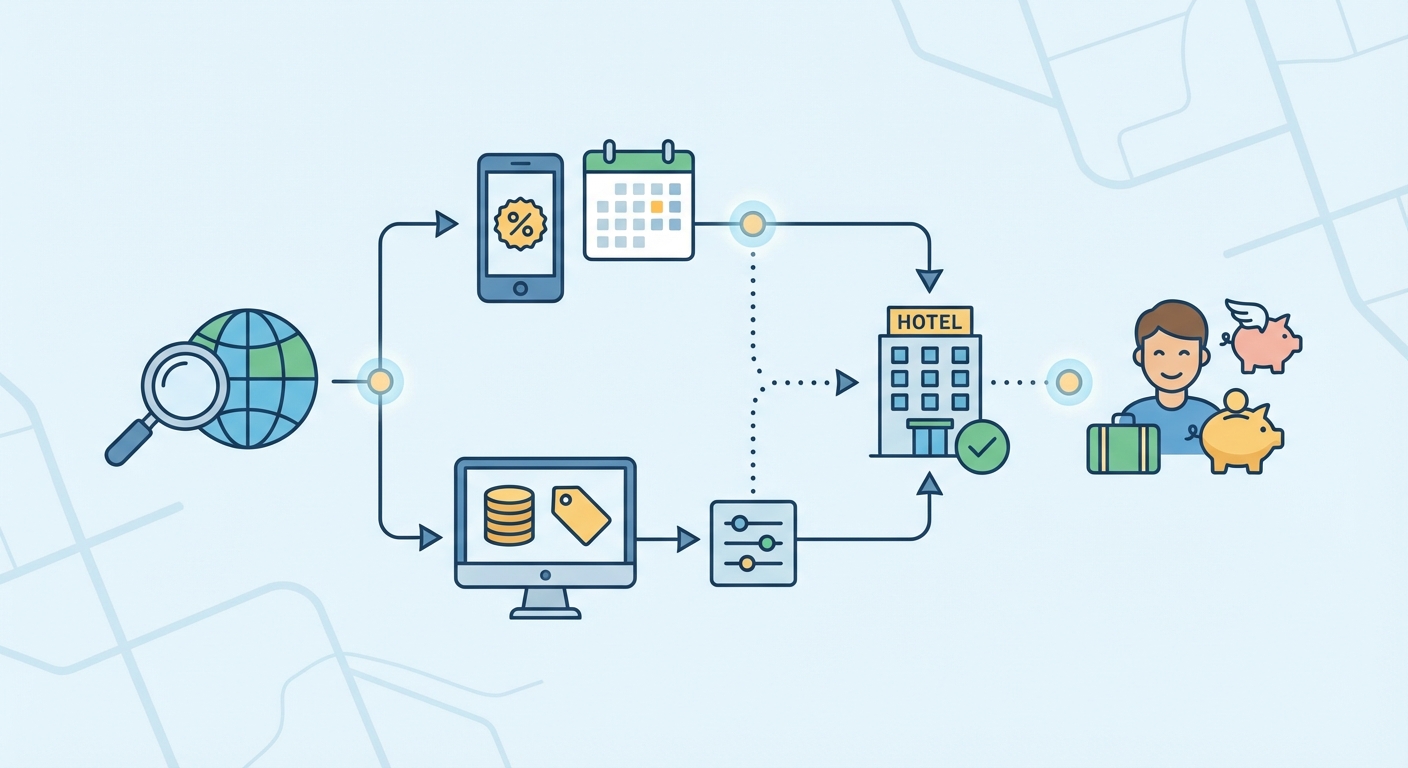
Trip.com's Flash Deals are time-sensitive, deeply discounted offers on specific hotels, while promo codes provide a percentage or fixed amount off a broader range of bookings. To capitalize on them, you must act quickly for Flash Deals and actively seek out promo codes from Trip.com's dedicated promotions page, email newsletters, or app notifications.
Flash Deals are essentially limited-time sales designed to drive bookings for partner hotels. They might last for 24-72 hours and offer discounts of up to 50% or more. These are often for specific travel dates and are non-refundable, so it's crucial to be certain of your plans. Promo codes, on the other hand, are more flexible. They might be general (e.g., '5% off all hotel bookings this month') or specific (e.g., '$20 off hotels in London'). They are entered at the final checkout stage to apply the discount. The most effective strategy is to stack these where possible, for example, by using a promo code on a hotel that is already discounted for members.
Imagine you're subscribed to the Trip.com email newsletter. On a Tuesday morning, you receive an email announcing a '48-Hour Asia Hotel Flash Sale.' You're planning a trip to Singapore next month. You click the link and see a 4-star hotel in a prime location, normally $250 per night, offered at $150 per night for your travel dates. This is a Flash Deal. Concurrently, you remember seeing a pop-up in the Trip.com app for a promo code 'TRAVEL5' that gives 5% off any app booking. You decide to book the Flash Deal hotel through the app, and at checkout, you apply the 'TRAVEL5' code. The 5% is calculated on the already discounted price, bringing your nightly rate down even further to $142.50. This demonstrates the power of combining different promotional tools.
This approach differs from platforms that rely solely on static loyalty pricing. Trip.com actively uses these dynamic, short-term promotions to create a sense of urgency and reward engaged users who are paying attention. While competitors also run sales, Trip.com integrates them tightly with their app and email marketing, making it easy for loyal customers to be the first to know. The key is to be prepared to book when a deal appears, as the best Flash Deals can sell out quickly.
Actionable Insight: Create a dedicated 'Deals' routine. Spend five minutes each day or every other day checking the 'Deals' or 'Promos' section of the Trip.com website and app. This small time investment ensures you are always aware of the latest offers. Also, enable push notifications for the app specifically for promotions, so you're instantly alerted to new Flash Sales or high-value promo codes.
Can Using the Trip.com App Unlock Exclusive Discounts?
Yes, using the Trip.com mobile app can absolutely unlock exclusive discounts and deals that are not available on the desktop website. Online travel agencies frequently use their apps as a channel for their best offers to encourage downloads and build a loyal, engaged user base on mobile. These app-only prices are a direct incentive to book on the go.
The discounts manifest in several ways. Firstly, you may see specific hotels marked with an 'App Price' tag, indicating a lower rate than the one displayed on the website for the exact same room and dates. Secondly, Trip.com often releases promo codes that are exclusively redeemable within the app. Thirdly, the app is the primary channel for instant notifications about time-sensitive Flash Deals, giving mobile users a head start. The company invests in the app as a primary booking channel, and it rewards users who adopt it. This strategy helps them secure a permanent spot on your phone's home screen, making them your default choice for future travel planning.
Let's take a practical scenario. A traveler, Maria, is researching hotels in Paris on her laptop. She finds a charming boutique hotel for $300 per night. Before booking, she remembers hearing about app-exclusive deals. She downloads the Trip.com app, signs into her account, and searches for the same hotel and dates. In the app, the price is listed at $285 per night with a small 'App Price' badge next to it. Furthermore, a banner at the top of the app offers a one-time code for 5% off her first app booking. By completing the reservation on her phone, she pays only $270.75 per night, saving nearly $30 per night compared to the desktop price. Over a 4-night stay, that's a saving of almost $120 for taking five extra minutes to use the app.
This strategy of creating a separate, more rewarding experience on mobile is common in e-commerce but particularly effective in travel. While competitors like Expedia and Booking.com also have apps and occasional mobile-only rates, Trip.com is known for being particularly aggressive with this channel-specific marketing. The user experience is often smoother and faster on the app, making the entire process from search to payment more convenient, which further encourages its use. For the savvy traveler, the rule is simple: always cross-reference the price on the app before finalizing any booking made on a desktop computer.
Actionable Insight: Always perform a final price check on the app. Even if you prefer to do your research on a larger desktop screen, make it a non-negotiable final step to search for your chosen hotel on the Trip.com app before you click 'confirm'. This simple check takes less than a minute and could reveal a significant, app-exclusive discount or a last-minute mobile promo code that you would have otherwise missed.
What Role Do Price Alerts and the 'Watchlist' Feature Play in Finding Deals?
Price Alerts and the 'Watchlist' feature on Trip.com play a crucial, proactive role in finding deals by automating the process of monitoring price fluctuations for specific hotels or travel dates. Instead of manually checking prices daily, these tools act as your personal deal-hunting assistant, notifying you the moment a price drops so you can book at the optimal time.
The functionality is straightforward yet powerful. When you find a hotel you're interested in but aren't ready to book, you can add it to your 'Watchlist' (often represented by a heart or save icon). From there, you can typically opt-in to receive Price Alerts. You set your desired dates, and Trip.com's system will track the price for that specific query. If the rate decreases due to a new promotion, a drop in demand, or the hotel releasing a new block of cheaper rooms, you'll receive an email or a push notification. This transforms you from a passive searcher into a strategic waiter, ready to act when the price is right.
For example, a couple is planning an anniversary trip to Hawaii in six months. They have their eye on a specific oceanfront resort, but the current price of $500 per night is slightly over their budget. They find the hotel on Trip.com, add it to their watchlist, and set up a price alert. For the next two months, the price remains stable. Then, one morning, they receive an email from Trip.com: 'Price Drop Alert! The price for your watched hotel has dropped to $420 per night.' The hotel has likely launched an early-bird promotion to boost occupancy. Because they were alerted instantly, the couple can book the room before the limited number of discounted rooms sell out, saving $80 per night and $400 over their five-night stay. Without the alert, they might have missed this window entirely.
This automated monitoring is a significant advantage over manual searching. The travel market, especially for hotels, uses dynamic pricing, meaning rates can change multiple times a day based on a complex algorithm of supply, demand, and competitor pricing. It's impossible for a human to track this effectively. By using alerts, you are leveraging the platform's own technology against its pricing model. While most major travel sites offer some form of this feature, integrating it into your core booking strategy is what separates casual bookers from deal-finders.
Actionable Insight: Don't just watch one hotel; create a portfolio. For any given trip, identify 3-4 hotels that meet your criteria and add all of them to your watchlist with price alerts. This creates a competitive environment for your business. You're not just waiting for one hotel's price to drop; you're waiting for the best deal among several acceptable options, significantly increasing your chances of securing a fantastic rate.
How Can You Find Hidden Value in Hotel and Flight Bundles?
You can find hidden value in hotel and flight bundles on Trip.com by searching for them as a package, which often unlocks unpublished, discounted hotel rates that aren't available when booking separately. The platform can offer these lower prices because the hotel's rate is 'hidden' or 'fenced' within the total package price, protecting its public rate integrity.
Online travel agencies (OTAs) like Trip.com have special agreements with airlines and hotels. When you bundle a flight and hotel together, the hotel is willing to offer a deeper discount than it would publicly advertise. They do this because the customer cannot see the exact price they are paying for the room versus the flight. This allows the hotel to move unsold inventory without devaluing its brand or starting a price war with competitors. The savings are then passed on to the consumer as a lower total package price. This is one of the oldest and most effective methods for saving on travel, yet it's often overlooked by travelers who prefer to book each component separately.
Let's consider a trip from New York to Los Angeles. A traveler books their flight separately for $400 round-trip. Then, they search for their preferred hotel and find it for $250 per night for 4 nights, totaling $1,000. The total trip cost is $1,400. A savvier traveler decides to search for a flight + hotel package on Trip.com for the same dates and flights. They find a package that includes the exact same flight and the exact same hotel. However, the total package price is $1,250. By booking together, they have saved $150. The flight price didn't change; the entire saving came from a special bundled rate on the hotel room that was inaccessible through a standalone hotel search.
The key comparison here is between booking components separately versus as a package on the same platform. While some travelers believe they can find better deals by hunting for the cheapest flight on one site and the cheapest hotel on another, this is often not the case. The bundled savings offered by large OTAs frequently outweigh any small gains from booking on disparate platforms. This is especially true for popular destinations and chain hotels that have strong partnerships with sites like Trip.com. For more on this, you can review various comparison guides on travel booking strategies.
Actionable Insight: Always run a 'package' search as a baseline. Before you get deep into researching individual flights and hotels, perform a quick search for a flight + hotel bundle on Trip.com. This will give you a baseline total price to beat. Then, if you want, you can try to price out the components separately. More often than not, you'll find it difficult to beat the initial package price, saving you time and money.
Are Last-Minute Deals on Trip.com a Myth or a Reality?
Last-minute deals on Trip.com are a definite reality, but they are best suited for flexible travelers who are not tied to a specific hotel or location. Hotels use last-minute discounts as a tool to sell off perishable inventory - rooms that would otherwise remain empty - making it a viable strategy for spontaneous trips.
The concept is rooted in the basic economics of the hotel industry. An empty hotel room for a night generates zero revenue; it is a lost opportunity. Therefore, hotels are highly motivated to sell that room, even at a steep discount, as some revenue is better than none. Trip.com serves as a massive marketplace for hotels to quickly advertise these last-minute rates to a global audience. These deals typically appear anywhere from a week to a few hours before check-in. The biggest discounts are often found for mid-week stays (Sunday to Thursday) in business-oriented cities or during the shoulder season in tourist destinations.
Imagine a business traveler whose meeting in Chicago finishes a day early. It's a Wednesday afternoon, and they decide they want to stay in the city one more night for leisure. They have no specific hotel in mind. They open the Trip.com app and search for a hotel for that same night. The app's algorithm will often highlight 'Tonight's Deals' or similar promotions. They might find a 4.5-star hotel in the River North neighborhood, which normally costs $400, being offered for $180. The hotel knows it's unlikely to sell that room at full price with only a few hours left in the day and would rather get $180 than $0. This is a win-win: the hotel avoids a vacant room, and the traveler gets a luxury stay for a fraction of the cost.
However, this strategy is the polar opposite of booking in advance. It is not recommended for family vacations, travel during major holidays, or situations where you require a specific hotel or room type (e.g., a suite or adjoining rooms). The risk is that you might find no appealing deals, or worse, prices might be inflated if a large conference or event in the city has created unexpectedly high demand. It's a high-risk, high-reward strategy that pays off for those with flexibility. More general travel insights can be found on our main travel blog.
Actionable Insight: If you plan to hunt for a last-minute deal, be flexible with location. Instead of searching for a specific hotel, search by a broader area, like 'Downtown Miami' or 'near Times Square'. Use the map view in the Trip.com app to see all available deals in a given neighborhood. This widens your net and dramatically increases your chances of spotting an exceptional last-minute bargain that you might have missed if your search was too narrow.
How Do You Effectively Use Filters and Sorting to Uncover Bargains?
To effectively use filters and sorting on Trip.com, you must go beyond basic date and location searches and strategically layer multiple filters to narrow the results to only high-value, relevant options. The key is to use the 'Deals' filter in combination with user ratings, price range, and amenities to systematically sift through hundreds of listings and pinpoint true bargains.
Most users simply sort by price from 'low to high' and pick the cheapest option, but this often leads to poorly-rated or badly-located hotels. A more sophisticated approach involves a multi-step filtering process. First, apply essential filters like your desired star rating (e.g., 4-star and above) and a high user review score (e.g., 4.5/5 or 'Excellent'). Then, and this is the crucial step, look for specific 'Deal' filters, such as 'Member Price' or 'Special Offer'. Finally, sort the remaining results not by price, but by 'Popularity' or 'Best rated'. This re-ordered list will show you well-regarded hotels that also happen to have a promotion running.
Let's walk through a scenario. You're looking for a hotel in Lisbon for a week. A basic search yields 1,500+ properties. Sorting by 'price low to high' shows hostels and 2-star hotels first. Instead, you apply the following filters: 1) Select '4-star' and '5-star'. 2) Set the 'Review Score' slider to '4.0+' (Very Good or higher). 3) Check the box for 'Member Price'. This might narrow the results to 150 hotels. Now, instead of sorting by price, you sort by 'Popularity'. The hotel at the top of this new list is a highly-rated, popular 4-star hotel that also offers a member discount. You've successfully filtered out the noise and identified a hotel that offers a great experience at a discounted rate, which is the definition of a true bargain. You can then compare the top 3-5 options from this curated list.
This method is far superior to simple price sorting because it prioritizes value over absolute cost. A $120 per night hotel with excellent reviews and a central location that's on a special offer is a much better 'bargain' than a $90 per night hotel with mediocre reviews and a poor location. The filters on Trip.com are tools to define what 'value' means to you - whether it's free breakfast, a swimming pool, or a specific neighborhood - allowing you to isolate the best deals that fit your personal criteria.
To visualize the power of this strategy, here is a comparison table of different sorting approaches:
| Strategy | Typical Result | Pros | Cons |
|---|---|---|---|
| Sort by Price (Low to High) | Lowest absolute cost, often 2-3 star hotels, potentially poor location/reviews. | Finds the cheapest possible room. | Ignores quality, location, and overall value. High risk of a bad experience. |
| Sort by Popularity (No Filters) | Well-known, large chain hotels. Often at standard, non-discounted rates. | Finds reliable, well-regarded hotels. | Doesn't prioritize finding a deal or discount. You might overpay. |
| Filtered + Sort by Popularity | Highly-rated hotels that are currently offering a specific deal (e.g., Member Price). | Identifies the intersection of high quality and good price. Maximizes value. | Requires a few extra clicks to set up the filters. |
Actionable Insight: Create and save your filter preferences. If you frequently travel for business and always require Wi-Fi, a 4-star rating, and free cancellation, apply these filters once. Many platforms, including Trip.com, allow your browser or app to remember your recent filter choices. This saves you time on future searches and turns your strategic filtering process into a one-click habit, making bargain-hunting incredibly efficient.
Conclusion
Navigating the digital landscape of travel deals can seem complex, but as we've explored, finding significant discounts on Trip.com is not a matter of chance. It is a methodical process that rewards the strategic traveler. The single best way to secure discounted hotel deals is not a lone magic bullet but a powerful combination of approaches: diligently earning and redeeming Trip Coins, climbing the membership tiers to unlock exclusive rates, and always cross-checking prices on the mobile app. This foundational strategy ensures you are maximizing the platform's built-in loyalty and technology advantages at every turn.
Beyond this core, tactical flexibility comes into play. For those with fixed plans, booking well in advance and bundling flights with hotels can yield substantial upfront savings. For the spontaneous traveler, mastering the art of the last-minute deal can lead to luxury stays for a fraction of the cost. Every user, regardless of their travel style, should make a habit of using the platform's powerful tools - from the time-saving Price Alerts that automate your deal hunting to the sophisticated filtering that separates true value from mere cheapness. These features are not just conveniences; they are essential instruments in your cost-saving toolkit.
Ultimately, the choice of strategy depends on your personal travel habits. Are you a frequent traveler who can benefit from long-term loyalty, or an occasional vacationer looking for the best one-time deal? If you travel more than twice a year, focusing on achieving Gold or Platinum status should be your priority. If you travel infrequently, pay close attention to Flash Deals and promo codes. By understanding these diverse avenues and layering them - applying a promo code to a member-exclusive price found on the app, for example - you transform from a simple consumer into an empowered deal hunter. You are now equipped to make Trip.com work for you, ensuring every journey is as affordable as it is memorable.
Frequently Asked Questions
Yes, hotel deals on Trip.com are completely legitimate. Trip.com is one of the largest online travel agencies in the world, with established partnerships with millions of hotels globally. The discounts offered, such as Member Prices or Flash Deals, are official promotions arranged with the hotels themselves. Like any major booking platform, it's crucial to read the specific terms of a deal, especially concerning cancellation policies and what's included in the rate (e.g., taxes, breakfast). Always book directly through the official Trip.com website or app to ensure you are accessing these legitimate offers and are protected by their customer service.
Neither platform is consistently cheaper than the other across all scenarios; it often depends on the destination, hotel, and your loyalty status. Trip.com can have a price advantage in Asian markets due to its origins and strong regional partnerships. Furthermore, its tiered loyalty program can offer deeper discounts for frequent users compared to Booking.com's Genius program. However, Booking.com sometimes has exclusive deals in Europe or North America. The best practice is to always compare prices for your specific hotel and dates on both platforms, factoring in any member discounts you are eligible for on each.
To apply a promo code, proceed with your hotel booking until you reach the final payment page. On this page, before you enter your credit card details, look for a field labeled 'Promo Code,' 'Discount Code,' or similar. Click on it, and a box will appear where you can type or paste your code. After entering the code, click 'Apply' or a similar button. The page should refresh, and you will see the discount reflected in the final price breakdown. Ensure the code is valid for your specific booking, as some have restrictions like minimum stays or are valid only for certain hotels or countries.
The fastest way to accumulate a significant number of Trip Coins is by booking higher-value items like long-haul flights and multi-night hotel stays. However, the most efficient and often overlooked method is to consistently write high-quality hotel reviews after each stay. A simple booking earns you coins, but a detailed review with original photos can often yield a substantial bonus amount of coins for just a few minutes of your time. This post-trip engagement provides a much higher 'return on effort' than any other activity on the platform, accelerating your ability to save on future bookings.
Generally, you cannot use Trip Coins to pay for 100% of a hotel stay. Trip.com typically caps the number of coins you can redeem on a single booking. This cap is usually a percentage of the total price. For example, you might be able to offset up to 20-30% of the cost with your coins. While you can't get a completely free room, the coins provide a substantial and reliable discount, effectively acting as a direct cash rebate. The best strategy is to use them to reduce the cost of every booking rather than saving them up for one single 'free' stay that isn't possible.